How to calculate restaurant food cost
Food cost tells you how much of your food sales went to ingredients. It is one of the fastest ways to see whether your menu, purchasing, portions, and waste are under control.
Food cost % = ((Beginning inventory + Purchases - Ending inventory) / Food sales) x 100
Say you started the month with $18,000 in food inventory, bought $42,000 more, ended with $16,000, and sold $138,000 of food. Your cost of goods sold is $44,000, so your food cost is 31.9%.

Tab Cards keep the purchases line complete by collecting each receipt and tying the card charge to the right restaurant. Base earns unlimited 1% cash back on every swipe.
What is a good food cost percentage?
Many restaurants aim for roughly 28% to 35%, but the right target depends on your concept. A pizzeria, a steakhouse, a cafe, and a fine-dining room will not share the same number, because their ingredient costs are not the same.
| Concept | Typical food cost | Why it runs where it does |
|---|---|---|
| Quick service | 25% to 32% | Standard portions and simple menus keep ingredient cost lean. |
| Pizzeria | 25% to 32% | The dough is cheap, but cheese and premium toppings add up fast. |
| Fast casual | 28% to 32% | Fresh, made-to-order ingredients cost a little more than QSR. |
| Full service | 30% to 35% | A broad table-service menu balances quality against price. |
| Cafe or coffee shop | 15% to 25% | Espresso and drip drinks run high margin. Adding food pulls it up. |
| Bar and pub food | 20% to 28% | Simple bar food is priced to sell more drinks alongside it. |
| Steakhouse | 35% or more | Premium beef is the priciest center of the plate in the business. |
| Fine dining | 30% to 38% | Premium ingredients, partly offset by higher menu prices. |
Typical planning ranges compiled from published restaurant-industry benchmarks, including the National Restaurant Association and restaurant back-office sources. Your real target depends on your menu mix, region, and pricing, so treat these as starting points, not rules.
Do not stop at food cost. Watch prime cost.
Prime cost is food cost plus labor as a share of sales, and many operators aim to keep it near 55% to 60%. Food cost alone can look fine while labor quietly erodes the same margin.
The better question is not just the number. It is: is your actual food cost close to your ideal food cost? If your recipes say the restaurant should run at 30% but the books show 35%, that five-point gap is where the work starts.
Example: a five-point gap
$6,900/monthA restaurant doing $138,000 in monthly food sales with a 35% actual food cost and a 30% ideal food cost is leaking about $6,900 a month. Over a year, that is $82,800 before tax.
That gap can come from price changes, waste, portions, theft, bad counts, late invoices, or spend that was coded to the wrong place.
What to check when food cost is too high
If the calculator shows your number is above target, do not panic. Start with the places where margin usually leaks first.
Vendor prices changed
Check if beef, dairy, produce, or disposables jumped without a menu price change.
Portions drifted
Re-check your highest-volume dishes. One extra ounce can crush margin.
Waste is hidden
Look at prep waste, spoilage, remakes, staff meals, and comps.
Purchases are messy
Make sure invoices, card swipes, GL codes, and locations land in the right place.
Vendor prices are the part Tab's Andy AI can check. It reads invoice lines and vendor agreements to flag price changes, missed credits, and rebates.
How to calculate food cost for a menu item
For one menu item, add the cost of every ingredient used in the recipe, divide that by servings, then divide cost per serving by the menu price. The Menu item tab in the calculator does this for you and shows which ingredient drives the plate cost.
Menu item food cost % = Cost per serving / Menu price x 100
If a dish costs $4.50 to make and sells for $15, the food cost is 30%. If the target is 28%, the dish is either underpriced, over-portioned, or needs a purchasing fix.
When the month closes, Tab's QuickBooks Online integration sends coded card spend to the books, so the actual-cost side is easier to trust.
Turning the number into a monthly habit
A calculator can show the problem. The harder work is keeping spend data clean enough to act on it every month.
Food cost is not only recipe math. It is vendor prices, invoices, card swipes, receipts, location tags, GL codes, and cash moving through the business. When that data is messy, the team burns hours just finding the leak before they can fix it. That is the part Tab handles.
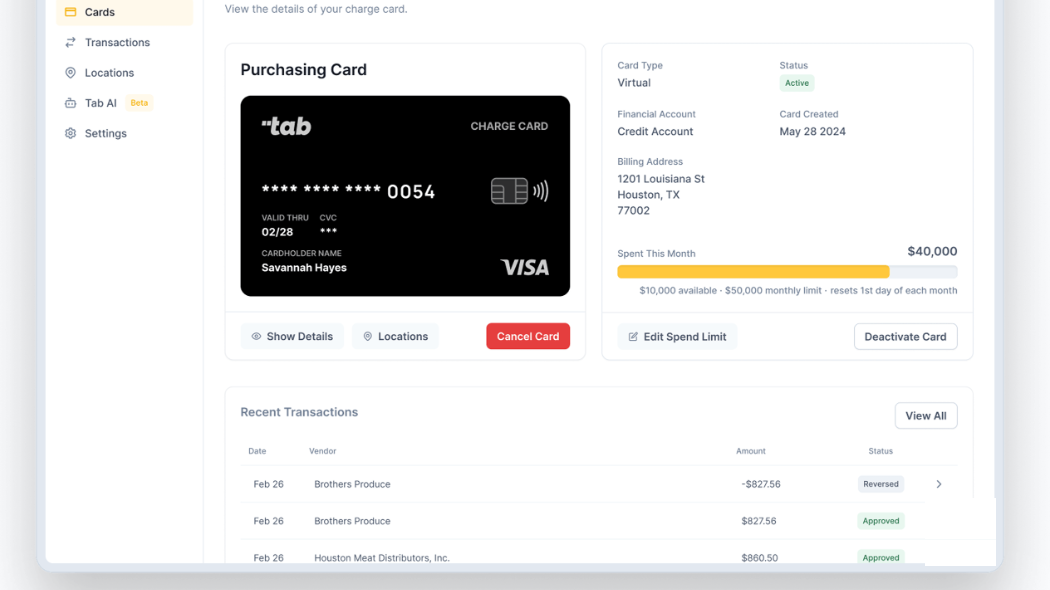
Spend is capped before it happens
Each card carries a monthly limit and its own vendor trail, so a $40,000 food budget stays a $40,000 food budget. Real vendors like Brothers Produce and Houston Meat Distributors show up already tagged by store.
-p-1080.png)
Receipts get chased at the swipe
The invoice that would otherwise land in the wrong period gets attached while the purchase is still fresh, with the location and vendor already on it.
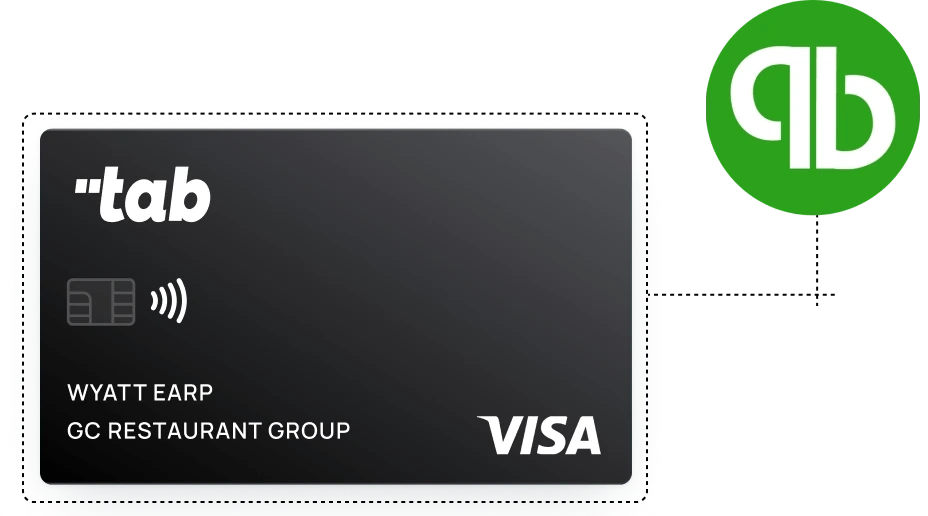
Clean data flows to the books
Location and vendor context carries into QuickBooks Online through a full integration. Other ledgers can receive a customizable CSV, so month-end starts cleaner instead of with a pile of uncoded transactions.
Cards scoped to the store
Managers spend with limits tied to employees, vendors, and locations, instead of one generic card trail.
Receipts chased immediately
After a swipe, Tab prompts the cardholder for the receipt and context while the purchase is still fresh.
Cleaner accounting handoff
Location and transaction data can flow into QuickBooks Online, or into another ledger through a customizable CSV, with less cleanup before close.
Rebates Andy AI catches
Restaurants lose $25,000 or more a year to unclaimed rebates and overpricing. Andy AI works the purchasing data to win some of it back.
You found the gap. Put food purchases on the restaurant card.
Use Tab Cards for food and inventory purchases wherever cards are accepted. Base earns unlimited 1% cash back on every swipe, Tab collects the receipt, and clean spend goes to QuickBooks Online. Andy AI can also check invoice prices, missed credits, and rebates.
"It's rare to find software partners whose products fully live up to the promises made during the sales process. Tab not only met expectations but exceeded them."
Answers restaurant operators usually need next
The calculator gives you the number. The next step is knowing what the number means, where to look first, and what needs a system fix instead of a one-time spreadsheet cleanup.
Calculator