


Contents
Before you switch, name the problem. If counts or recipes are wrong, compare inventory tools. If the kitchen numbers are fine but purchasing controls, receipts, or vendor prices are the problem, Tab may cover that workflow without replacing the rest of your stack.
Where MarginEdge falls short according to users online
MarginEdge holds 4.7 out of 5 on Capterra, and reviewers there agree on what it does well: invoice capture, recipe costing, and daily food cost. The friction shows up around those jobs. Reviewers on Capterra and G2 keep returning to the same few things.
- Invoices and payments post slowly. Three reviewers describe the same lag: payments reaching vendors late, invoices posting too late to catch a miscoded item, and slow invoice turnaround. Dana B. in finance, Jeremiah W. in operations, and Yogesh H. in accounting all raise it. (Capterra reviews)
- Recipe setup is the real implementation cost. Reviewers describe heavy up-front work, including "A LOT of work into adding the recipes" and unit conversions that are "very time consuming." Another calls the initial setup tedious. Budget kitchen manager hours, not just a subscription. (Capterra reviews)
- Raw data is hard to pull out. Reviewers rate the built-in reporting highly but say the data underneath is not intuitively accessible, which matters when a controller needs to build something the standard reports do not cover. (Capterra and G2 reviews)
Then there is the money, which is a product fact rather than a complaint. MarginEdge lists $350 per location per month, rising to $500 per location bundled with Freepour, with 10% off annual billing against a 12-month term. A six-location group is looking at $25,200 a year.
Toast operators pay more than the sticker. Connecting MarginEdge to Toast requires Toast's Restaurant Management Suite at $50 per location per month, charged by Toast, not by MarginEdge. That pushes the same six locations to $28,800. What the base price does cover is unlimited invoice processing, unlimited US bill payments, email support, and 1:1 software training, with no contract on monthly billing. (source: MarginEdge pricing page)
What each tool actually covers
| Tool | Inventory and recipes | Invoices and AP | Cards and spend controls | Accounting handoff |
|---|---|---|---|---|
| Tab Use it alone or with inventory |
Tab can run the payment side by itself or alongside MarginEdge. Use Tab Cards for card-accepting vendor and manager purchases, receipt collection, limits, and restaurant coding. Keep MarginEdge or another inventory tool when you also need counts, recipes, orders, and food-cost reporting. Get Started Free |
|||
| MarginEdge what you have now | Counts, recipes, daily food cost | Line-item capture, US bill pay | Its own charge card program | Exports to most ledgers |
| Restaurant365 | Counts, recipes, purchasing | AP inside the ledger | Not a core function | Native, restaurant-specific |
| xtraCHEF by Toast | Recipe costing, inventory | Invoice capture and coding | Not a core function | Posts to QuickBooks Online |
| MarketMan | Counts, POs, receiving, COGS | Invoice scanning, capped on Starter | Not covered | Integrations included from Starter |
| Craftable | Food and beverage counts | Three-way matching, AP module | Not a core function | Coded export to your ledger |
| Crunchtime | Counts across an estate | Invoice processing | Not covered | No public detail |
| Ottimate | Not covered | Capture, approval routing, payment | Not covered | Writes bills into five named ledgers |
If purchasing is the actual job rather than reporting, the best restaurant procurement software comparison ranks these tools by ordering workflow instead.
6 MarginEdge alternatives for restaurants
Tab Commerce - run restaurant purchasing with or without MarginEdge

Use MarginEdge or another inventory tool for counts, recipes, ordering, and food-cost reporting when you need those jobs. Use Tab for card-accepting vendor and manager purchases, limits, receipts, restaurant coding, and vendor-price checks.
- Pay card-accepting suppliers and manager purchases with controlled cards, then earn unlimited 1% cash back.
- Receipts arrive by text after the swipe, with the restaurant attached in about 90 seconds on average.
- Send clean spend to accounting. QuickBooks Online connects directly, other ledgers can use a customizable CSV, and Andy AI can check vendor prices and rebates.
"We looked at other expense systems but it just didn't compare to the technology that Tab has."
Teresa, Accounting Specialist, Rock Strategic (75+ units)
Price: Base is free. Pro is $150 per location per month and adds Andy AI. Groups with 5+ locations get custom pricing.
1. Restaurant365 - the full back office, if you can absorb a custom quote and a real build

- It replaces more than MarginEdge. Inventory, invoices, scheduling, payroll, and restaurant-specific accounting sit in one system, so a group can retire a separate general ledger at the same time. Its homepage claims 50,000+ restaurants.
- Implementation is a project, not a setting. Restaurant365 describes it as taking "a few weeks to several months depending on system complexity," and one Capterra reviewer reported still using only basic functions two years in. (Capterra)
- Support is the weakest sub-rating. It holds 4.1 overall across 71 Capterra reviews, with customer service at 3.8, and reviewers cite slow follow-up and unresolved tickets. (Capterra)
- Updates break things. GetApp reviewers describe "frequent bugs, glitches, and occasional crashes, especially after updates", alongside POS integration hiccups.
Price: Not published. The pricing page routes every question to a custom quote, so budgeting starts with a scoping call rather than a number you can check today.
What to weigh Restaurant365 is the heaviest implementation on this list. It fits best when someone on payroll owns the books and can lead the rollout.
2. xtraCHEF by Toast - the cheapest food-cost move, and only if you already run Toast

- Sales data arrives on its own. Invoice capture and food-cost reporting pull sales directly from Toast POS, which removes the daily export step most inventory tools still need, and the daily sales journal posts through to QuickBooks Online.
- It reaches past invoices. AP automation, food cost, inventory, recipe costing, and manufacturer rebate tracking all sit inside the same product, so a Toast restaurant is not buying a second tool for each.
- The review trail is thin for a platform decision. It holds 4.3 on Capterra across just 7 reviews, and customer service is the lowest sub-rating at 3.4. (Capterra)
- There is no standalone version to buy. It is quoted, implemented, and supported through Toast, so the food-cost tool is tied to the POS contract rather than sitting on its own renewal.
Price: Not published. Toast handles pricing and plan scope through its sales team.
What to weigh xtraCHEF's strongest fit is with Toast POS. On another POS, sales imports are more manual, so the wider xtraCHEF alternatives field may offer a better fit.
3. MarketMan - the only inventory option here that publishes its prices on the page

- Starter already covers the daily loop. Purchase orders and receiving, price-change alerts when a vendor quietly bumps a case price, live inventory, and POS and accounting integrations are all included from the entry tier, with Square, Toast, Lightspeed, and Clover named as POS connections.
- It connects to the distributors you already buy from. Sysco, US Foods, Gordon Food Service, GolBon, and Frosty Acres are named vendor integrations, so catalog prices update without anyone retyping an order guide.
- Growth is where COGS goes automatic. It adds vendor management, waste tracking, real-time recipe costing, and automatic COGS on top of Starter.
- Reviewers rate it highest in this group, at 4.7 across 112 Capterra reviews. (Capterra)
Price: Starter is $199 per month and Growth is $249 per month, both published on the pricing page, with Enterprise quoted directly. Free setup, a $1,500 value, was running in July 2026, which matters because setup fees are where inventory quotes usually hide.
What to weigh Starter includes 50 invoice scans a month. A kitchen receiving daily from six vendors could reach that limit in about two weeks, making Growth the more realistic tier.
4. Craftable - the pick when beverage cost is the problem, not food cost

- Bar and kitchen in one system. Craftable runs food and beverage cost control together, which matters for a bar-heavy concept where pour cost drives margin more than food.
- Invoices get checked, not just captured. Three-way matching compares each invoice against the purchase order and the delivery receipt line by line, flags price discrepancies and unauthorized charges, and blocks payment on unmatched items.
- Coding is rule-driven. Machine learning suggests GL codes on invoice lines, and the rules can be set by department, location, or concept before the data exports. Craftable claims 9 minutes saved per invoice. (source: Craftable AP automation page)
- Setup is real work. Reviewers on Software Advice describe meaningful effort around recipe mapping and integration before the numbers get trustworthy, and the product still rates 4.5 across 123 Capterra reviews. (Capterra)
Price: Not published. Craftable quotes by concept and location count.
What to weigh Craftable does not publish pricing, so a direct comparison with MarginEdge requires a sales quote. Directory figures are usually listed per user rather than per location.
5. Crunchtime - built for chains with dozens of units, overbuilt for anyone smaller

- Operations, not just inventory. Inventory, labor and scheduling, operations execution, kitchen management, operational intelligence, and learning run across a large estate from one system.
- Scale is the whole argument. Crunchtime claims 850+ restaurant brands across 150,000+ locations as of July 2026.
- The public review trail is thin for a system that size. Its G2 profile carried 52 reviews on the same date, which is not much evidence for a multi-year contract.
- Cards, receipts, and spend control are not in the module list, so that work stays in a spreadsheet or a bank portal no matter which modules you buy.
Price: Not published. Crunchtime quotes at the enterprise level.
What to weigh Crunchtime's enterprise controls may be more than a single location or five-unit group needs. The unit-count comparison shows where that added scale begins to pay off.
6. Ottimate - invoice and AP automation only, with no inventory counts
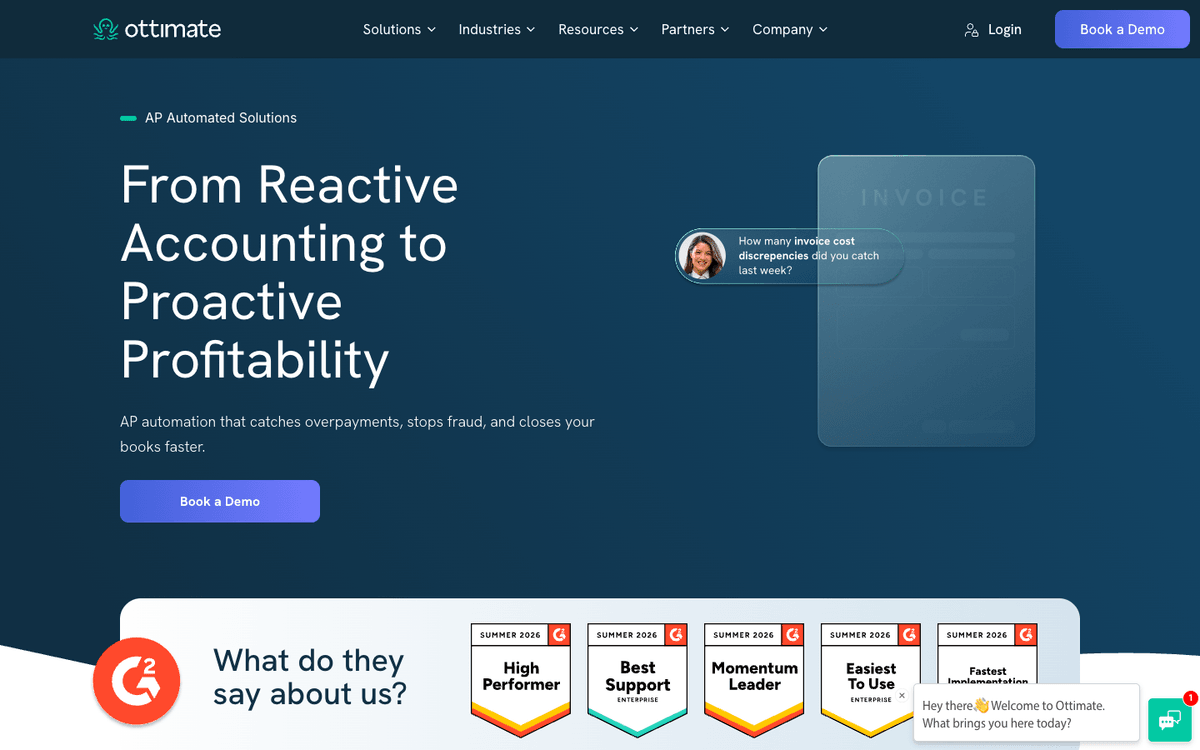
- The AP half of MarginEdge, done deeper. Invoice capture, approval routing, and payment by virtual card, ACH, or check all run in one workflow, and the product was formerly sold as Plate IQ.
- It is built for volume. Ottimate says it processes 120,000+ invoice pages a day and more than 40 million invoices a year, reading line-item detail at 98% accuracy including handwritten documents.
- Coded invoices land as bills, not a spreadsheet. It writes into QuickBooks, NetSuite, Sage Intacct, Acumatica, and Microsoft Dynamics, so nobody re-keys the same vendor bill twice.
- New vendors get recognised automatically, at a claimed 500 a day across the platform, which is the part that usually stalls when a kitchen adds a supplier mid-quarter. (source: Ottimate site)
Price: Not published. Ottimate quotes based on invoice volume and locations.
What to weigh Ottimate covers AP and invoice automation, not counts, recipes, or menu analysis. Replacing MarginEdge's food-cost work would still require another tool.
Who should pick what
If “food cost” is still too broad, the restaurant food cost calculator separates the current percentage, target gap, and monthly dollars before you compare inventory tools.
You need one system for everything and you have a controller.
Restaurant365.
You run Toast and food cost is the whole problem.
xtraCHEF by Toast.
You want inventory with a price you can check today.
MarketMan.
Your margin leak is behind the bar.
Craftable.
You are past 50 units and need standardization.
Crunchtime.
Invoice approvals are the bottleneck, not counts.
Ottimate.
Your leak is uncontrolled card spend, missing receipts, and messy location coding.
Tab Commerce. It may cover that workflow on its own. Add or keep an inventory tool only when you also need counts, recipes, ordering, or food-cost reporting. For the wider field, the best restaurant management software roundup covers the operations tools in this comparison.
If counts are wrong, compare inventory systems. If purchasing controls, receipts, or restaurant coding are the problem, use Tab for that workflow. If supplier prices and rebates are the blind spot, add Tab's Andy AI. The inventory tool becomes optional only when you do not need its kitchen jobs.
Common questions
MarginEdge Cards bill on a seven-day statement cycle. The ACH draw starts when the cycle closes, and the withdrawal usually lands one to two business days after that. Plan cash accordingly if you are used to a monthly card cycle.
Inventory, ordering, recipe analysis, invoice processing, and US bill payment all live in that one subscription. Most groups only lean on two of those, so price the replacement against what your team opens every week.
Yes. Use Tab on its own when the job is paying card-accepting vendors, controlling manager purchases, collecting receipts, and coding spend by restaurant. Use Tab with MarginEdge when you also need inventory counts, recipes, ordering, invoice processing, or food-cost reporting.

James writes from Tab's work with restaurant groups choosing cards, collecting receipts, tracking spend by restaurant, and getting clean purchase data into accounting. Tab gives restaurant groups cards, accounts, receipt automation, and Andy AI for vendor pricing and rebates.


