


Contents
Purchasing is its own job: order guides, contract prices, approvals, invoice matching, and a clean handoff to accounting. A tool that counts inventory well can still leave every one of those open. That is how a group pays above contract on 40 line items for a year and never sees it.
What each tool actually covers
Invoice capture, EDI, and the mechanics of 3-way match get their own walkthrough in the guide to restaurant invoice automation, which is the better next read if the invoice pile is the real bottleneck.
| Tool | Category role | Ordering and supplier reach | Invoices and 3-way match | Costing and AvT | Multi-site and accounting |
|---|---|---|---|---|---|
| Tab Card + Andy AIPay card-friendly vendors, earn cash back, and check invoices |
Use Tab by itself when you mainly need controlled vendor payments, receipts, and clean books. Keep procurement software for ordering, receiving, and inventory; use Tab to pay vendors that accept Visa, earn unlimited 1% cash back, and check costs with Andy AI. Talk to a Tab product expert |
||||
| Restaurant365 | Full back office | Demand-driven POs | Invoice discrepancy checks | Yes | Native restaurant accounting |
| Toast Inventory (xtraCHEF) | POS-attached purchasing | Toast-linked suppliers | Invoice capture | Yes | Inside the Toast stack |
| MarketMan | Stand-alone purchasing and inventory | Wide vendor coverage | Invoice capture | Yes | Feeds accounting |
| MarginEdge | Restaurant inventory and management | In-platform ordering | EDI digital invoices | Yes | Feeds accounting, bill pay |
| Craftable | Purchasing price governance | Catalog ordering | Overcharge flags | Food and beverage | Feeds accounting |
| Crunchtime | Enterprise supply chain | Vendor APIs and EDI | Confirmations and invoices | Yes | Built for large estates |
| Apicbase | Procurement analytics | Par-level ordering | Full 3-way match | Yes | Multi-site analytics |
| ChefMod | Managed procurement service | Buys through its GPO | Price tracking | Limited | Feeds accounting |
| Yellow Dog | Hospitality inventory and purchasing | Vendor EDI | Invoice against receipt | Food, beverage, retail | Central warehouses and transfers |
The 9 best restaurant procurement software options
Tab Commerce - pay vendors and keep every purchase organized

Use procurement software to place orders, receive deliveries, and manage inventory. When a vendor accepts Visa, pay with Tab so the purchase earns cash back, stays tied to the right restaurant, and reaches accounting with its receipt.
- Earn cash back on regular purchasing. The free Base plan pays unlimited 1% cash back on every swipe.
- Control and document each purchase. Set the card limit and restaurant before the swipe; Tab texts for the receipt, note, and location afterward.
- Check what vendors charged. Andy AI reads invoices and vendor agreements for price increases, overcharges, and missed rebates.
"We looked at other expense systems but it just didn't compare to the technology that Tab has."
Teresa, Accounting Specialist, Rock Strategic (75+ units)
Price: Base is free. Pro is $150 per location per month and adds Andy AI. Groups with 5+ locations get custom pricing.
1. Restaurant365 - the all-in-one back office, if you have someone to run it

- Purchase orders build off demand, not a static par sheet. Restaurant365's inventory and purchasing page describes AI-driven POs, so quantities move with the forecast instead of last month's guess.
- Invoice discrepancies get flagged at entry. The same page describes catching what does not match the order, which is when a four-cent-per-pound creep is still cheap to argue about.
- Accounting is native, not an export. Purchasing, inventory, and the ledger sit in one system, so a group can retire a separate accounting platform instead of reconciling two sources of truth.
- Counts sync back to purchasing. Actual versus theoretical is measured against what was ordered and received in the same system, so the variance argument is about the food rather than about whose spreadsheet is right.
Price: Custom, quoted after a demo. No starting price is published.
What to weigh Restaurant365 is the heaviest implementation here. It fits best when someone on payroll owns the close and can lead the rollout.
2. Toast Inventory (xtraCHEF) - built-in purchasing that only pays off on Toast POS

- Orders go straight to suppliers from the same place the sales data lives, per Toast's inventory management page, which also covers purchasing and order management.
- Sales data arrives without an export. Food cost updates against Toast POS sales automatically, which removes the daily download most stand-alone tools still need.
- Invoice capture comes from xtraCHEF, the invoice product Toast folded into the suite, so the price you were charged lands against the item you ordered rather than in a folder of scans.
- Order guides live next to the menu, which keeps the item a manager orders and the item a recipe costs on the same list instead of two that drift apart.
Price: A paid add-on to a Toast POS subscription, quoted per restaurant.
What to weigh Toast Inventory is strongest inside Toast POS. Off Toast, sales imports are more manual, so that extra work belongs in the comparison.
3. MarketMan - stand-alone purchasing with the widest supplier integrations

- Supplier coverage is the reason to buy it. MarketMan positions itself as centralized inventory and purchasing with supplier, POS, and accounting integrations, which matters when a Sysco order guide, a local produce vendor, and a specialty importer all need to land in the same place.
- Ordering, receiving, and invoices sit together, so the person who placed the order is the person who sees the price that came back.
- Recipe costing runs off the same purchase data, so a case-price move shows up in plate cost without anyone entering it twice.
Price: Custom. MarketMan asks buyers to request pricing rather than publishing a rate card.
What to weigh MarketMan feeds an accounting system rather than replacing it. A group hoping to retire its ledger would still run two systems.
4. MarginEdge - ordering, invoice capture, and bill pay in one restaurant platform

- The buying record and the invoice record stay together. MarginEdge's Orders page carries orders, POs, invoices, and credits in one place, so nobody rekeys an order into a separate invoice log.
- EDI invoices arrive digitally from participating vendors, which removes the photograph-and-wait step for the vendors that support it.
- Bill pay lives in the same platform, so the invoice that was just coded gets paid without a trip through a second system.
Price: $350 per location per month for the restaurant management platform, per its pricing page.
What to weigh MarginEdge is not built around transfers between commissaries, central warehouses, and stores. Groups with that model may need deeper production and transfer workflows.
MarginEdge also sells its own card, so the Tab vs MarginEdge Card comparison is worth a look if repayment timing matters. For the wider field, start with MarginEdge alternatives.
5. Craftable - the contract-price enforcement pick for groups fighting price creep

- Contract prices are enforced, not just recorded. Craftable's Intelligent Ordering describes contract-price enforcement with flags on overcharges, which is the difference between catching a price hike this week and finding it at year end.
- Ordering runs off vendor catalogs, so a manager buys from the agreed item list instead of a free-text order pad nobody can audit later.
- Beverage is a first-class citizen. Food and beverage cost control run together, which matters for bar-heavy concepts where pour cost drives margin more than food does.
Price: Custom, quote only. No rate card is published.
What to weigh Craftable's contract checks depend on current vendor pricing being in the system. Handshake pricing leaves less data for it to flag.
6. Crunchtime - the enterprise supply-chain pick, overkill under 20 locations

- Purchase orders and bid sheets go out to vendors with confirmations and invoices coming back, per Crunchtime's suite overview.
- Vendor connections run on APIs and EDI, which is what keeps a few hundred store orders moving without a person in the middle of every file.
- The mobile app closes the loop in the store. Counting, ordering, and reconciling happen on a phone in the walk-in rather than on a laptop in the office.
Price: Custom, quoted as an enterprise rollout.
What to weigh Crunchtime's standardization tools are designed for larger groups and assume a corporate rollout owner. A five-unit group may use only part of that depth.
7. Apicbase - the 3-way match pick, if your team will receive goods in the system
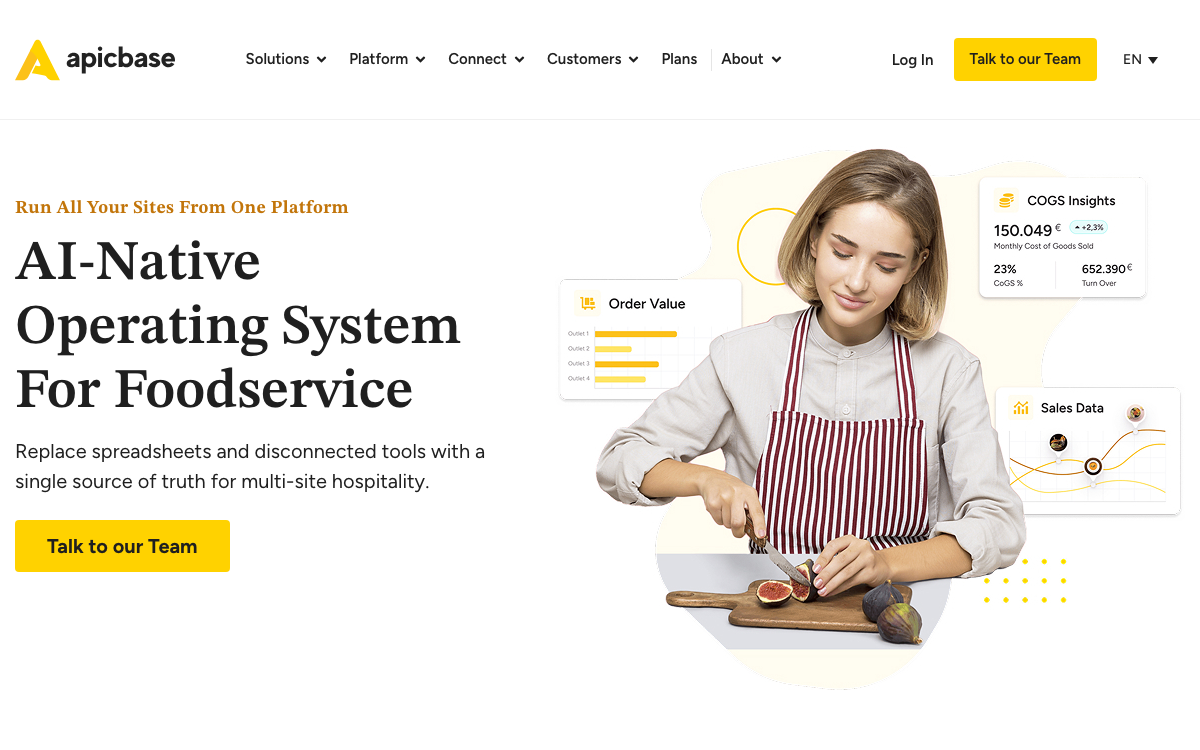
- Order quantities come off each site's pars, not a manager's memory of last week.
- The 3-way match is the complete one: purchase order, goods receipt, and invoice, lined up before anything is cleared for payment.
- Analytics compare locations against each other, which is how you find the one store paying more for the same case.
Price: Custom, quote only.
What to weigh Apicbase's three-way match depends on receiving being recorded in the system. If teams only sign a delivery slip, the system has nothing to compare with the invoice.
8. ChefMod - the GPO route, for operators with no purchasing staff
- Group purchasing is the product, not a bolt-on. ChefMod's procurement pages describe managed procurement, with buying done through its own program.
- Price management sits behind the ordering, tracking what you pay across vendors, which is the job a small operator has nobody on staff to do.
- It suits operators with nobody in a purchasing seat, because the program does the negotiating a corporate buyer would otherwise handle.
Price: Custom, quoted as a managed program rather than a per-location rate.
What to weigh ChefMod's group-buying value depends on purchasing through its program. Existing direct-contract pricing may be traded for a simpler program.
9. Yellow Dog - the hotel and hospitality pick with central warehouses

- Purchasing runs request, PO, receipt, then invoice, documented in Yellow Dog's food and beverage purchasing flow, so nothing is approved before someone confirms what arrived.
- Vendor EDI is built in, so standing orders to the large distributors are not retyped every week.
- Retail sits alongside food and beverage, with central warehouses and transfers in the same system, so a property selling merchandise is not running a second one for it.
Price: Custom, quote only.
What to weigh Yellow Dog's retail and warehouse depth drives much of its value. A single-concept operator without those workflows may use only a small part of the system.
Which one should you choose?
Before comparing demos, use the restaurant food cost calculator to put the current gap into dollars. That tells you whether the real problem is ordering, vendor pricing, waste, or something smaller.
You order through vendor portals, phone, or email and mainly need controlled payments.
Tab may be enough.Pay vendors that accept Visa, earn cash back, collect the receipt, and code the purchase by restaurant.
You already run Toast POS and nobody wants a second login.
Toast Inventory.Use it for ordering and receiving. Use Tab to pay card-friendly vendors, earn cash back, and keep the receipt with the right restaurant.
You want purchasing, inventory, and accounting in one system, and you have a team to run it.
Restaurant365.Use it for the full back office. Use Tab to pay vendors that accept Visa, earn cash back, and send coded purchases to finance.
You buy from a long vendor list and need the integrations to hold.
MarketMan.Use it for ordering and receiving. Pay card-friendly vendors with Tab for cash back, receipt collection, and invoice checks from Andy AI.
Vendors keep quietly moving off contract price.
Craftable.Use it for contract-price controls. Use Tab for card-friendly vendor payments, cash back, and complete purchase records.
You want ordering, invoices, and bill pay in one workflow.
MarginEdge.Keep it for ordering, invoices, and bill pay. Use Tab when a vendor takes Visa so the purchase earns cash back and keeps its receipt and restaurant.
You run a large estate, a commissary, a warehouse, or hotel outlets.
Crunchtime, Apicbase, or Yellow Dog, depending on whether the priority is scale, 3-way match, or property-level retail.Use Tab across the group for card-friendly vendor payments, cash back, and purchase records coded by restaurant and company.
You have no purchasing staff and want someone else to negotiate.
ChefMod.Use it for group buying. Pay card-friendly vendors with Tab to earn cash back, collect receipts, and let Andy AI check the deal.
If the real blocker is the close rather than the ordering, the guide to bookkeeping software for restaurants covers the export and coding workflow sitting downstream of every tool here. And if the question is where AI genuinely helps in purchasing, AI for restaurants walks through the cost-control use cases.
Common questions
It matches three documents before payment: the purchase order, the goods receipt, and the invoice. It breaks at the receipt, because that is the step depending on a person in the kitchen recording what actually arrived.
No, and the overlap is where buyers get burned. Inventory software answers what you have and what it is worth. Procurement software answers what you ordered, at what price, from whom, and whether the invoice matches. Most restaurant tools do some of both, so judge the ordering and matching workflow rather than the category label.
Some do. Tab Cards can pay any vendor that accepts Visa. Use the procurement or AP system for ACH or check runs; use Tab when you want a controlled card payment with cash back, an attached receipt, and restaurant coding.
Sometimes not. If you order directly from vendors and mainly need controlled payments, receipts, and clean books, Tab may cover the purchasing workflow on its own. Keep or add procurement software when you need structured ordering, receiving, inventory, contract enforcement, or commissary workflows. The best POS systems for restaurants roundup covers the same question on the POS side.

James writes from Tab's work with restaurant groups choosing cards, fixing missing receipts, coding spend, and closing the books. Tab brings cards, accounts, receipt automation, and Andy AI into one restaurant back office.


