


Contents
- Restaurant365 Alternatives at a Glance
- Where Restaurant365 falls short
- The restaurant back-office stack map
- 1. MarginEdge
- 2. MarketMan
- 3. xtraCHEF by Toast
- 4. Craftable
- 5. QuickBooks Online + Apps
- 6. Sage Intacct or NetSuite
- 7. Tab
- 8. Keep Restaurant365
- Pricing and implementation compared
- The verdict: Compare by job
- FAQ
- The bottom line
Restaurant365 puts accounting, inventory, labor, and payroll under one login. The alternatives below solve different parts of that job. Start with the problem you need to fix, then compare the tools built for it.
Restaurant365 Alternatives at a Glance
Each tool below handles a different back-office job. Tab appears for card spend and receipt follow-up, not as a replacement for accounting, inventory, or payroll.
| # | Tool | Job it handles | Starting pricing | Best for | What to weigh |
|---|---|---|---|---|---|
| 01 |  Tab Best for card spendCards, cash + receipts (complementary)
|
Cards, cash + receipts (complementary) | Base is free; Pro $150/month/location | Restaurants whose data is messy before it ever reaches accounting | Not accounting software, by design |
| 02 |  MarginEdgeInvoices + prime cost
|
Invoices + prime cost | $350/location/month | Operators who want invoice data and daily food cost without an ERP | It is not a general ledger; accounting stays separate |
| 03 |  MarketManInventory + purchasing
|
Inventory + purchasing | $199/month Starter; $249/month Growth | Inventory-first teams tightening counts, ordering, and COGS | Recipe costing and waste tracking sit in the Growth plan |
| 04 |  xtraCHEF by ToastInvoice/AP + food cost
|
Invoice/AP + food cost | Custom (Capterra reports $149/feature/month) | Toast-POS restaurants that want AP inside their existing stack | Pricing not published; strongest inside the Toast ecosystem |
| 05 |  CraftableInventory + AP for food and beverage
|
Inventory + AP for food and beverage | Custom (Capterra lists from $99/user/month) | Bar-heavy and hotel F&B programs chasing pour cost | Pricing not published; the GL still lives elsewhere |
| 06 |  QuickBooks Online + appsAccounting (GL)
|
Accounting (GL) | $38 to $275/month | 1 to 5 location groups with a solid bookkeeper | Restaurant workflows require add-ons |
| 07 |  Sage Intacct / NetSuiteEnterprise accounting/ERP
|
Enterprise accounting/ERP | Custom quote | 25+ location, multi-entity groups | Cost and implementation are enterprise-sized |
| 08 |  Restaurant365Full restaurant ERP
|
Full restaurant ERP | $469 to $499/location/month | Groups that truly need it all in one platform | Implementation measured in weeks to months |
Pricing verified June 2026 on each vendor's published pricing or, where pricing is not public, the named third-party listing. Plans change; confirm before you sign.
Where Restaurant365 falls short according to users online
Restaurant365 is strongest when one team needs the whole back office in one system. Public reviews point to the same tradeoffs: price, a heavy rollout, and support issues after launch.
- The starting price adds up fast. R365 lists Essential at $469 to $499 per restaurant each month; Professional runs $689 to $749. Capterra lists a $499 monthly starting price.
- Implementation is a project. R365 says setup can take a few weeks to several months. Reviews and BBB complaints also mention slow onboarding and incomplete setup.
- Support trails the overall rating. R365 scores 4.1 overall on Capterra, while customer service scores 3.8.
- Updates can bring new cleanup. GetApp reviewers mention bugs, crashes, and POS connection problems after updates.
- Small groups may pay for more system than they use. At the published starting range, 2 restaurants land around $11,000 to $12,000 a year before implementation.
Those tradeoffs matter most when only one part of the back office is broken. A narrower tool can cost less and take less work to launch.
The restaurant back-office stack map
It helps to separate the jobs before comparing tools. "Restaurant365 alternatives" can mean 4 different shopping lists: accounting, inventory and food cost, card spend and receipts, or POS data. Each product in this article focuses mainly on one of them.
| Back-office job | If this is the problem | Best-fit tools | Where Tab fits |
|---|---|---|---|
| Accounting / ERP | Closing the books, multi-entity GL, consolidated P&L, payroll | Restaurant365, QuickBooks Online, Sage Intacct, NetSuite | Tab sends complete card purchases to QuickBooks Online or a custom export. Your accounting tool stays in place. |
| Inventory + prime cost | Food cost creep, invoice line items, recipe costing, COGS variance | MarginEdge, MarketMan, xtraCHEF, Craftable | Use Tab for card purchases and receipts. Keep the inventory tool for counts and recipes. |
| Spend, cards, cash + receipts | Rogue spending, missing receipts, location allocation, cash visibility | Tab | This is Tab's job: card controls at the swipe, receipts by text, and multi-GL coding |
| POS / order data | Sales data flowing into accounting and inventory | Toast, Square, Clover, TouchBistro | Tab Accounts can receive POS revenue deposits. The POS still runs orders. |
The highlighted row covers card controls and receipt follow-up, work the accounting and inventory tools above do not fully handle.
What to weighIf the job is one back-office system, compare the restaurant management software options. If it is inventory and prime cost, compare the Crunchtime alternatives. The restaurant food cost calculator puts the current gap into dollars before you price a replacement.
The main decision is which job you are replacing. Accounting systems close the books. Inventory tools handle food cost. Tab sits beside either setup for manager cards and receipts.
Tab Commerce - use it with the accounting or inventory tool you keep

Restaurant365 and the alternatives below handle accounting, inventory, or both. Tab handles manager cards, receipts, and restaurant coding beside that system.
- Set limits by manager and restaurant before the card is used.
- Collect the receipt and restaurant by text after every purchase.
- Send coded spend to QuickBooks Online through a full integration, or export it for another ledger.
"We looked at other expense systems but it just didn't compare to the technology that Tab has."
Teresa, Accounting Specialist, Rock Strategic (75+ units)
Price: Base is free. Pro is $150 per location per month and adds Andy AI. Groups with 5+ locations get custom pricing.
8 Restaurant365 alternatives and complementary layers
MarginEdge
Best for invoice processing, food and labor cost visibility, and daily operational insight without a full ERP.
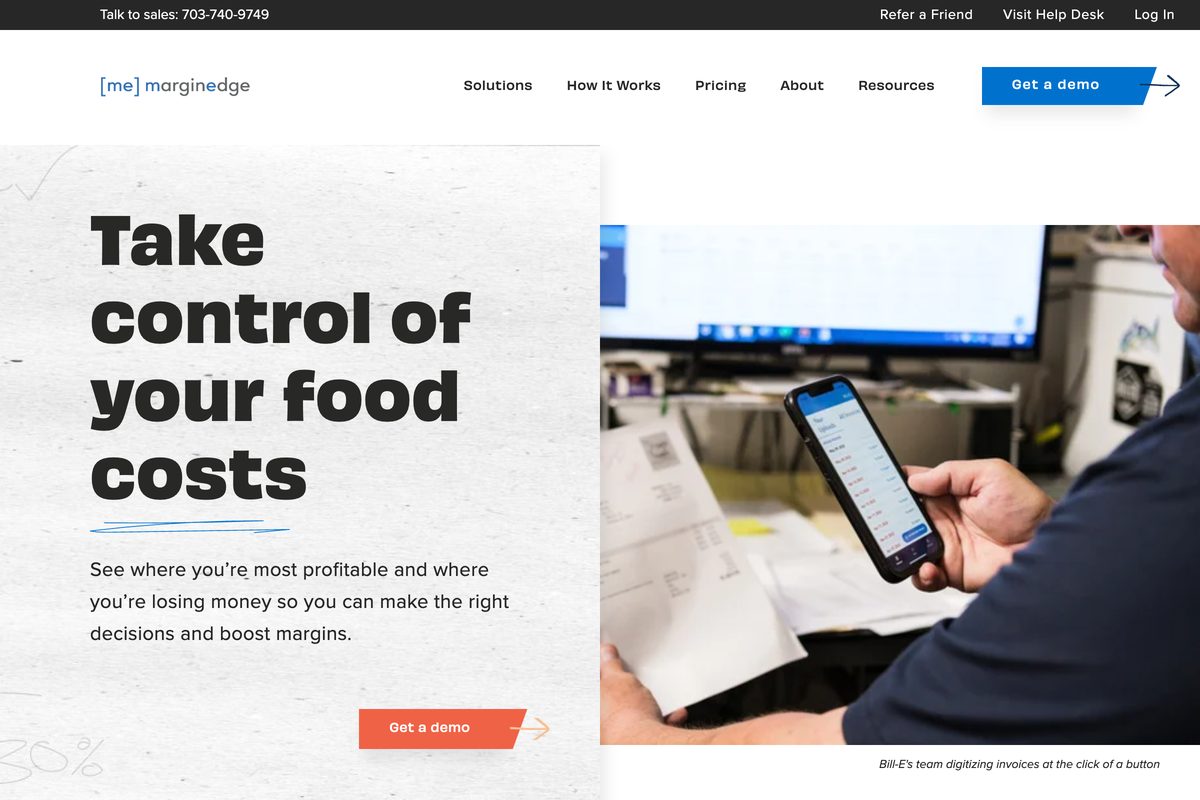
MarginEdge is built around the vendor invoice. It captures line-item data, sends it to accounting, and shows food cost without waiting for the month to close.
- Best forInvoice data + daily food cost
- Pricing$350/location/month
- LayerInvoices + prime cost
- What to weighNot a general ledger
Where it wins
- Invoice processing with line-item detail. Real-time food cost, price-change alerts, and recipe analysis against theoretical cost, plus bill pay and a daily P&L view.
- Serious scale and ratings. 11,000+ clients and 5M+ invoices processed (per MarginEdge's site), with a 4.6 rating across 47 reviews on Capterra.
- No setup-fee friction. No traditional setup fees and monthly plans carry no contract.
Where it falls short
- It is not the GL. QuickBooks or another accounting platform stays in the stack.
- Liquor costs extra. Liquor inventory needs the Freepour bundle at $500 per location per month.
- Toast users pay a surcharge. An extra $50 per month per location for Toast's Restaurant Management Suite to enable the API integration.
Pricing: $350 per location per month, billed monthly or annually with a 10% annual discount (verified on MarginEdge's pricing page, June 2026).
What to weigh
Liquor inventory needs the $500 Freepour bundle, and Toast integration adds $50 per restaurant each month. Compare the wider MarginEdge alternatives or the card-specific Tab vs MarginEdge Card breakdown before you choose.
Verified on MarginEdge's pricing page, June 2026MarketMan
Best for inventory, purchasing, recipe costing, and procurement workflows.

MarketMan focuses on the storeroom. It covers counts, purchase orders, receiving, vendor prices, and COGS, with POS and accounting connections on the Starter plan.
- Best forInventory + purchasing discipline
- PricingStarter $199/mo; Growth $249/mo
- LayerInventory + procurement
- What to weighRecipe costing sits in Growth
Where it wins
- Clean purchasing workflows. Place and receive POs in one place, with price-change alerts when a vendor quietly bumps a case price.
- Live inventory and COGS. Real-time counts, with automatic COGS on the Growth plan.
- Strong review signal. Reviewers rate it 4.7 across 112 reviews on Capterra, one of the strongest in this group.
Where it falls short
- Accounting happens elsewhere. This is an R365-inventory alternative, not an R365 replacement.
- Key features gated to Growth. Recipe costing, waste tracking, and vendor management land in Growth, not Starter.
- Setup takes time. Reviewers flag that complex inventories take real time to stand up.
Pricing: Starter $199/month; Growth $249/month; Enterprise is custom. MarketMan's pricing page was also advertising free setup, a $1,500 value, in June 2026 (verified on MarketMan's pricing page).
What to weigh
Complex inventories take real setup time. Compare the other restaurant procurement tools before you commit the kitchen team to the rollout.
Based on user reviewsxtraCHEF by Toast
Best for Toast-POS restaurants that want invoice processing and food-cost data inside their existing stack.
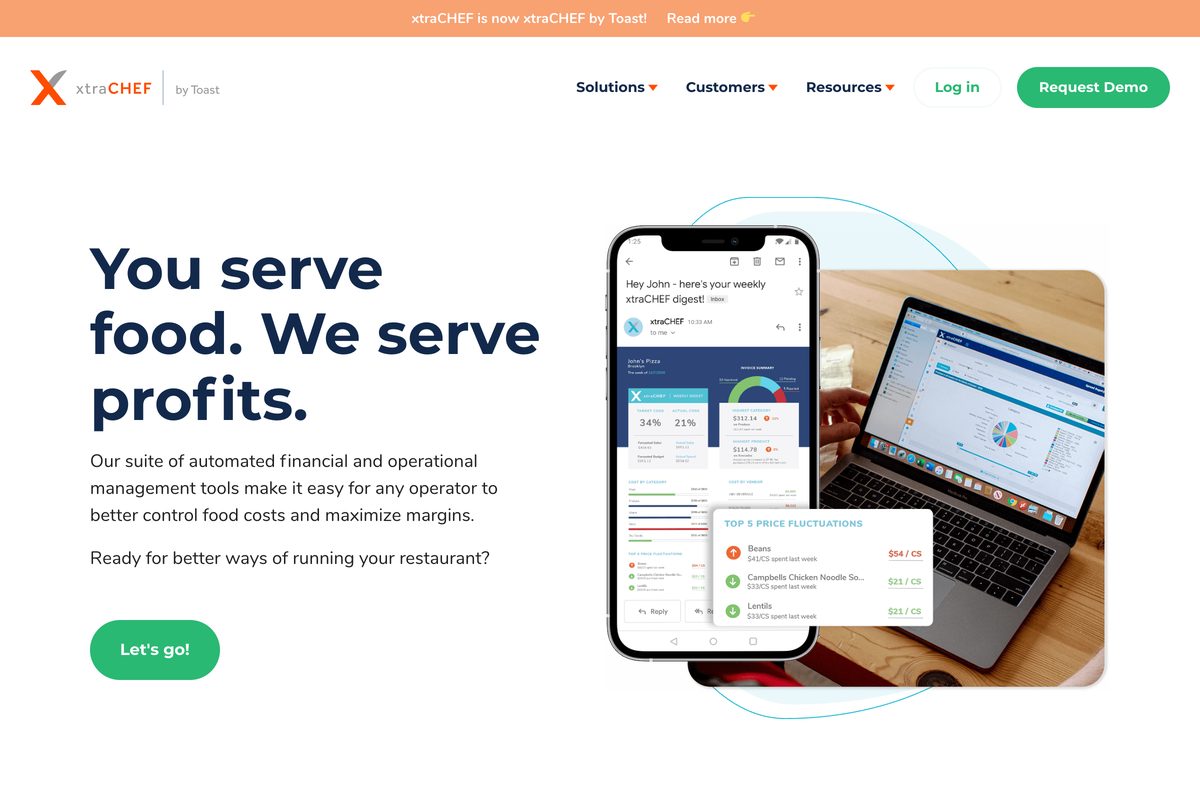
xtraCHEF is the shortest AP path for a restaurant already on Toast. It digitizes invoices and adds food cost, inventory, recipe costing, and manufacturer rebate tracking.
- Best forToast-POS restaurants
- PricingCustom; Capterra $149/feature/mo
- LayerInvoice/AP + food cost
- What to weighPricing not published; thin reviews
Where it wins
- Tight pairing with Toast. Toast sales data and invoice cost data sit in one ecosystem.
- Invoice digitization that feeds cost. Cost reporting without manual entry, aimed squarely at the invoice-to-food-cost workflow.
- Blunt, focused pitch. Its own line: "You serve food. We serve profits."
Where it falls short
- No public pricing. Budgeting means a sales conversation; Capterra reports $149 per feature per month as third-party reference pricing.
- Thin review footprint. 4.3 on Capterra across just 7 reviews.
- Toast-dependent value. The deepest value assumes you run Toast.
Pricing: Not published; quoted through Toast. Capterra's listing reports $149 per feature, per month (third-party figure, June 2026).
What to weigh
Toast does not publish xtraCHEF pricing, and Capterra's $149-per-feature figure comes from only 7 reviews. Compare the wider xtraCHEF alternatives before the sales call.
Pricing per Capterra listing, June 2026Craftable
Best for food-and-beverage-heavy operators who need purchasing, inventory, AP, and variance reporting.
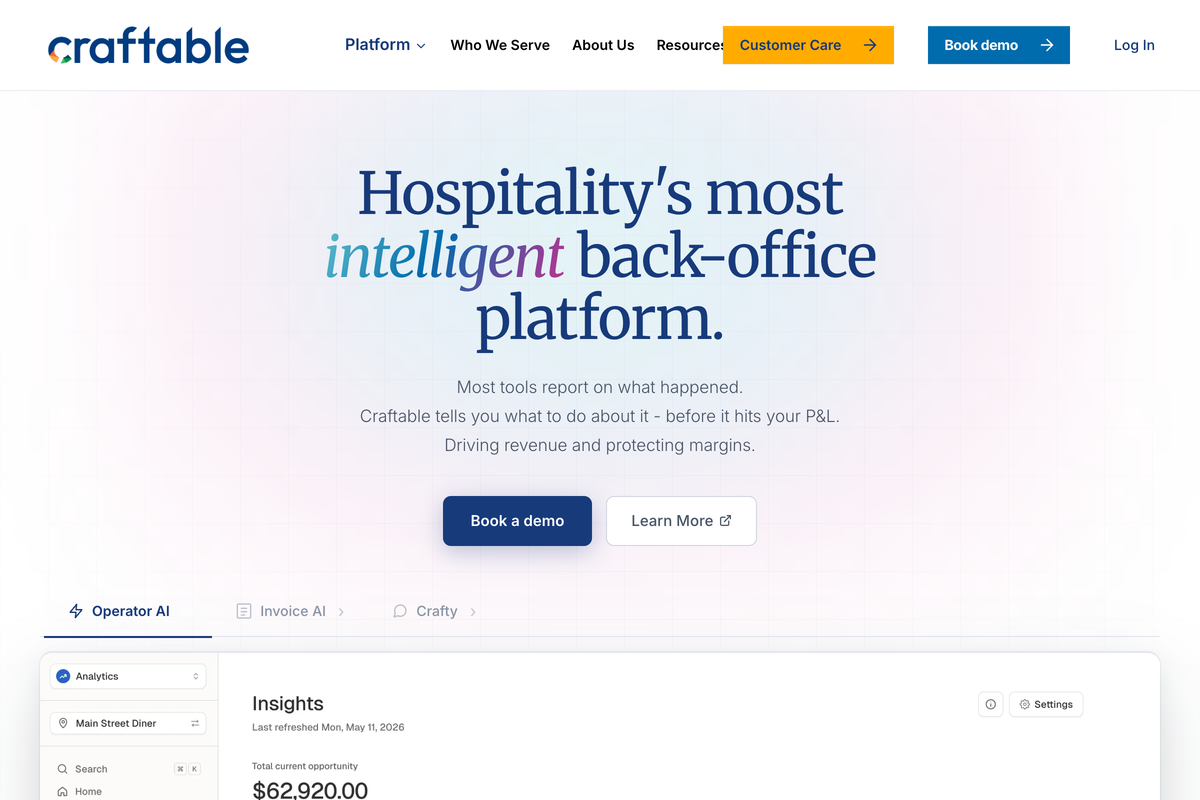
Bar programs leak margin in ways a monthly P&L never catches, and Craftable was built for exactly that tension. It connects purchasing, inventory, recipes, and sales so operators can see variance between theoretical and actual cost, with AP automation layered in.
- Best forBar and hotel F&B programs
- PricingCustom; Capterra from $99/user/mo
- LayerInventory + AP for F&B
- What to weighPricing not published; not the GL
Where it wins
- Built for beverage complexity. Strong fit for bars, hotels, and F&B-heavy venues chasing pour cost.
- Three-way matching in AP. Invoice matching in its AP module, plus AI-assisted insights that rank what to fix first.
- Action-oriented positioning. Its line: "Most tools report on what happened. Craftable tells you what to do about it." Reviewers rate it 4.5 across 123 reviews on Capterra.
Where it falls short
- No first-party pricing. Capterra lists a starting price of $99 per user per month as a third-party reference.
- Not the general ledger. It handles inventory and AP rather than the GL.
- Setup is operator time. Inventory builds take real effort to stand up.
Pricing: Not published first-party; Capterra lists from $99 per user, per month (third-party figure, June 2026).
What to weigh
- Craftable does not publish pricing on its site; the $99-per-user starting figure comes from Capterra as a third-party reference, so confirm a real quote before budgeting.
QuickBooks Online Plus Restaurant Apps
Best for smaller groups that want accounting flexibility without R365 scope or pricing.
Many 1-to-5-restaurant groups run clean books on QuickBooks Online and a sharp bookkeeper. Add only the restaurant tools the team actually needs, and each part stays replaceable.
- Best for1 to 5 locations with a bookkeeper
- Pricing$38 to $275/month
- LayerAccounting (GL)
- What to weighRestaurant workflows require add-ons
Where it wins
- Affordable, scalable tiers. QBO plans run $38 to $275 per month, with the $115/month Plus plan covering inventory tracking, project profitability, and class-based reporting.
- Universally supported. Every accountant knows it, so you are never locked to one bookkeeper.
- Built to be fed. Tools like MarginEdge and MarketMan are designed to push data into it.
Where it falls short
- No restaurant brain out of the box. Recipe costing, food-cost variance, and scheduling all come from add-ons.
- You become the integrator. Stitching the stack together is your job.
- User limits bite. Simple Start allows 1 user, Essentials 3, and Plus 5, which gets tight once managers need access.
Pricing: Simple Start $38/month, Essentials $75/month, Plus $115/month, Advanced $275/month (per NerdWallet's QuickBooks pricing guide, June 2026).
What to weigh
Simple Start, Essentials, and Plus cap users at 1, 3, and 5. A group can outgrow the seats before the features; compare the other restaurant bookkeeping tools before choosing a tier.
User limits per NerdWallet, June 2026Best for: Smaller groups with a trusted bookkeeper who want to assemble a stack instead of buying a platform. If card transactions reach QBO without receipts or restaurant details, Tab can clean up that work before finance reviews it.
Sage Intacct or NetSuite
Best for larger and enterprise groups that need multi-entity accounting architecture beyond restaurant-specific tools.
Somewhere around 25+ locations, multiple entities, and a real finance department, the accounting conversation changes shape. Groups at that scale often outgrow restaurant-specific platforms and evaluate general-purpose financial suites: Sage Intacct for accounting depth, NetSuite for full ERP.
- Best for25+ location, multi-entity groups
- PricingCustom quotes only
- LayerEnterprise accounting/ERP
- What to weighEnterprise-sized cost and rollout
Where it wins
- Multi-entity consolidations. Dimensional reporting and audit-grade controls across many entities.
- Built for scale. The architecture private-equity-backed groups expect.
- Controller-grade depth. The systems finance teams graduate into when restaurant tools run out of room.
Where it falls short
- Enterprise-sized checks. Vendr pegs Sage Intacct at $15,000 to $60,000 annually for small to mid-market deployments.
- NetSuite costs more. NetSuite's median buyer pays $74,817 per year before implementation.
- Still not restaurant-native. Features like recipe costing still come from companion tools.
Pricing: Custom quotes only. Third-party benchmarks: Sage Intacct $15K to $60K/year for small to mid-market; NetSuite median $74,817/year (per Vendr, June 2026).
What to weigh
- Neither suite publishes standard pricing; Vendr benchmarks put Sage Intacct at $15K to $60K per year and NetSuite's median buyer at $74,817 per year, before implementation partners are added.
Tab
Card and receipt toolBest for restaurants that need spend controls, cards, receipt capture, and cash visibility feeding cleaner data into accounting.
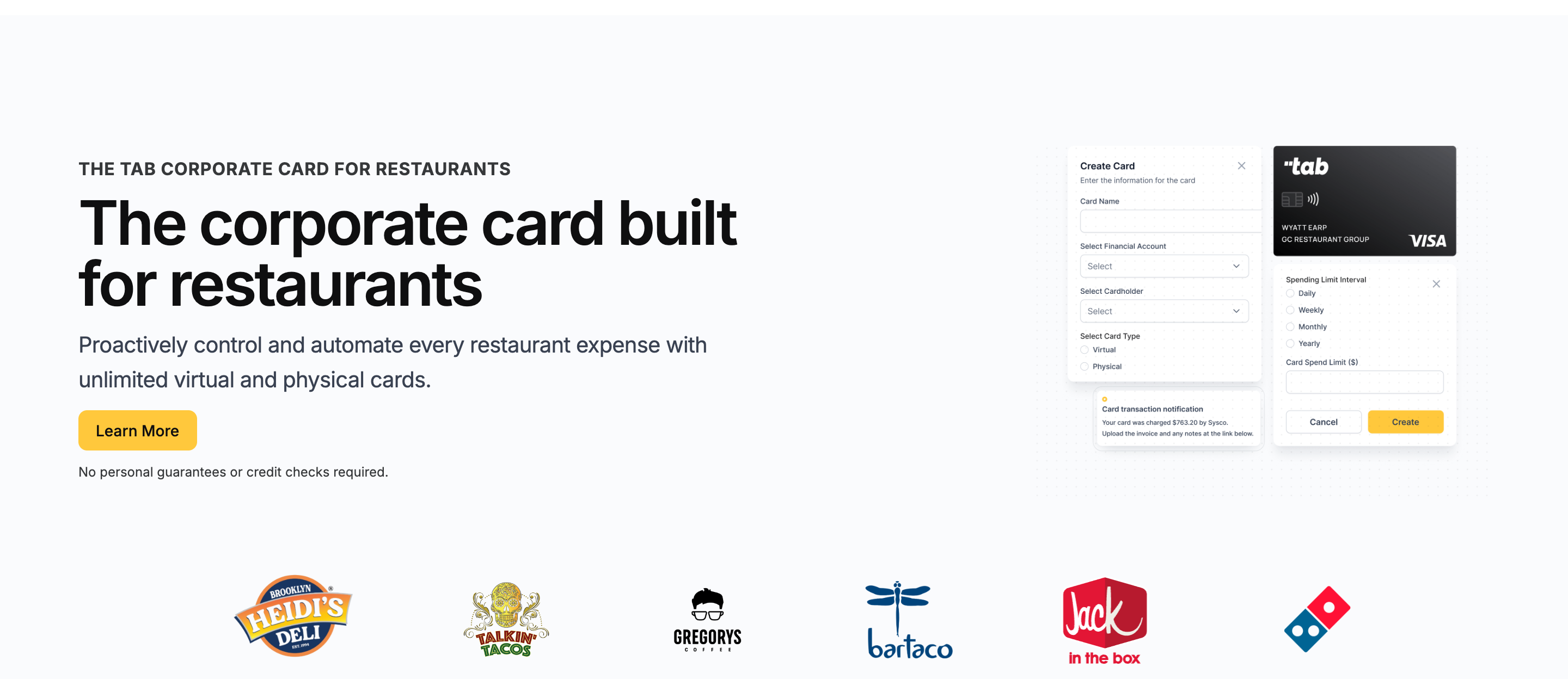
Fair question: if Tab is not accounting software, why is it on this list? Because a meaningful share of "Restaurant365 alternatives" searches are not really accounting problems. They are data problems that show up in accounting, and replacing the GL will not fix them.
Tab is used by 1,000+ restaurants for restaurant corporate cards, receipt follow-up, location coding, and virtual accounts.
Cards are unlimited, virtual and physical, with custom limits. Each one can be assigned to an employee, 1 or more locations, and specific vendors, with workflows for groups managing multiple LLCs and bank accounts. No credit check required.
- The mechanism is the point. The moment a manager swipes, Tab texts and emails them for the receipt, a note, and a location tag, with splits across locations when a supply run covers more than one store.
- The books arrive clean. Transactions support multi-GL coding and multiple receipts, then land in a full QuickBooks Online integration or customizable CSV exports, included on the free plan.
- Restaurant365 gets the fields it needs. Tab works with operators on customizable export files that include transaction, restaurant, entity, receipt, note, and GL details.
- Finance reviews cleaner inputs. Tab reports 85%+ higher accounting accuracy.
Cash gets the same treatment. Tab Accounts opens unlimited virtual accounts that can receive POS revenue deposits and move money between locations in real time at no cost, useful for groups mapping spend across multiple bank accounts and LLCs.
Balances currently earn 2% APY. The card includes unlimited cash back on Base, while Pro adds Andy AI for invoice intelligence and purchasing analysis.
Tab does not replace bill pay or AP. Andy AI checks purchasing data, invoices, vendor agreements, pricing, and rebates, while the accounting or AP tool keeps handling approvals and payments.
The quote above comes from Tab's card launch announcement and describes one operator's comparison with other expense systems.
- Best forRestaurants keeping QBO or another GL
- PricingFree Base; Pro $150/mo/location
- Cash backunlimited cash back on Base
- Built forCards and receipts, not the GL
What you get on the free plan:
- Unlimited virtual and physical cards
- Custom limits by employee, location, and vendor
- Automated receipt capture by text and email
- Full QuickBooks Online integration included
- Customizable CSV exports for any GL
- Live US-based restaurant support
Pricing: Tab's Base plan is free: cards, receipt capture, full QuickBooks Online integration, accounts, and live US-based restaurant support. Pro is $150/month/location and adds Andy AI for invoice intelligence, price checks, rebates, and contract visibility. Groups with 5+ locations get custom pricing, and setup takes about one week and is ready for the first billing cycle.
Best for: Restaurants keeping QuickBooks Online or another accounting platform that want card spend and receipts handled before month end. The accounting, inventory, and recipe tools above cover jobs Tab does not replace.
Keep Restaurant365
Best if you genuinely need unified accounting, inventory, workforce, and payroll in one restaurant platform.

Sometimes the honest alternative is the tool you were about to leave. If your group needs restaurant-specific accounting, inventory, scheduling, and payroll in one system of record, R365 remains the most complete option in the category, and its AI reporting is trained on the full restaurant P&L.
- Best forGroups needing one unified platform
- PricingEssential $469 to $499/location/month
- LayerFull restaurant ERP
- What to weighImplementation in weeks to months (R365's own wording)
Where it wins
- True all-in-one scope. Restaurant-native accounting with POS-aware daily sales, AP automation, and location-level P&L.
- Category leadership. 52,000+ restaurants on platform per its homepage.
- Pro tier depth. The Professional tier adds business analytics, AP automation, and custom reports.
Where it falls short
- Real starting cost. Budget $469 to $499 per location per month to start (per Restaurant365's published cost comparison, June 2026).
- A real implementation window. Plan for weeks to months, and staff the rollout like the project it is.
- Known friction patterns. The review themes in the falls-short section above are the realistic friction to manage, not a reason to dismiss the platform.
Pricing: Essential $469 to $499 per location/month; Professional $689 to $749 (per Restaurant365's published cost comparison, June 2026; final pricing is quote-based).
Best for: Groups of roughly 5+ locations with a finance team ready to run one platform for accounting through payroll.
Pricing and implementation compared
Pricing is only half the decision; implementation reality is the other half. Here is how the 8 options compare on both, with Tab's Base plan the only option that starts free.
| Tool | Starting price (June 2026) | Implementation reality |
|---|---|---|
| MarginEdge | $350/location/month | No traditional setup fees; optional onboarding packages; no contract on monthly billing |
| MarketMan | $199/month (Starter); $249/month (Growth) | Free setup ($1,500 value) promoted in June 2026; reviewers say complex inventories take time |
| xtraCHEF by Toast | Custom; Capterra reports $149/feature/month | Quoted and implemented through Toast |
| Craftable | Custom; Capterra lists from $99/user/month | Quoted; inventory builds take operator time |
| QuickBooks Online + apps | $38 to $275/month | Self-serve; your bookkeeper is the implementation |
| Sage Intacct / NetSuite | Custom; Vendr benchmarks $15K to $75K+/year | Enterprise projects measured in months, often with implementation partners |
| Tab | Free Base; Pro $150/month/location | About one week to set up; ready for the first billing cycle |
| Restaurant365 | $469 to $499/location/month (Essential) | "A few weeks to several months depending on system complexity," per R365 |
Sources: vendor pricing pages where public (MarginEdge, MarketMan, Tab, Restaurant365's cost-comparison page), NerdWallet for QuickBooks Online, Capterra and Vendr where pricing is not public. All verified June 2026.
One pattern worth noticing: the accounting and ERP rows charge by the location or by the year, while Tab's Base plan for cards and receipts starts free. The pricing models are different because card programs and software seats are funded differently.
The verdict: choose by the job you need done
There is no single best Restaurant365 alternative because R365 handles several jobs. Match the tool to the daily work that is actually causing problems.
Ways to narrow the list
Your books are fine but food cost is a mystery: MarginEdge for invoices and daily cost insight, MarketMan for inventory and purchasing discipline, xtraCHEF if you live on Toast, Craftable if the bar is the leak.
The accounting platform itself is the problem: QuickBooks Online plus apps for 1 to 5 locations; Sage Intacct or NetSuite once multi-entity consolidation outgrows restaurant tools; R365 if you want it all unified and will fund the implementation.
The data entering accounting is the problem: Tab can collect missing receipts, attach card charges to the right restaurant and entity, and prepare the transaction for QuickBooks Online or a customizable export. The Base plan is free, and the accounting system stays in place.
Open last month's close and compare the time spent chasing receipts and recoding transactions with the time spent fixing the GL itself. The first problem is the card-and-receipt work covered in Tab's financial operations overview. The second points to an accounting alternative above.
FAQ
No. Tab does not replace accounting, inventory, workforce, payroll, bill pay, or AP software. It handles restaurant cards, custom limits, receipt texts, location and entity details, and virtual accounts. Tab sends card transactions through its full QuickBooks Online integration or prepares customizable exports for other accounting workflows.
It depends on the job you are replacing. MarginEdge focuses on invoices and daily food cost, MarketMan on inventory and purchasing, QuickBooks Online plus apps on smaller-group accounting, and Sage Intacct or NetSuite on enterprise consolidation. If the accounting platform is staying and card data is messy, Tab is a complementary card-and-receipt tool rather than a replacement.
The fit depends on how much of the suite the restaurant will use. At R365's published starting range of $469 to $499 per location per month, 2 locations cost roughly $11,000 to $12,000 per year before implementation, a figure operators on Reddit's r/restaurateur debate openly. Groups that need accounting, inventory, and workforce together may find that worthwhile. Others can compare QuickBooks Online, a separate inventory tool, and Tab for card-and-receipt work.
Many smaller groups do. QuickBooks Online Plus at $115/month covers the general ledger, inventory tracking, and class-based reporting, and restaurant tools like MarginEdge and MarketMan are built to feed it. Even Restaurant365's own documentation describes connecting an existing QuickBooks Online environment and pushing accounting data to it, so a QBO-centered stack is a normal architecture, not a workaround.
Tab includes a full QuickBooks Online integration on its free Base plan, so card transactions arrive with receipts, categories, and location tags already attached. For Restaurant365, Tab uses customizable exports rather than advertising a direct R365 integration, and works with operators to format exports around their R365 workflow.
If the messy data starts with card purchases, Tab can set limits before the purchase and collect the receipt, note, and restaurant by text after the swipe. Finance can review the transaction before it reaches QuickBooks Online or a customizable export for Restaurant365.
The bottom line
Restaurant365 can fit a specific need: one platform for accounting, inventory, workforce, and payroll, backed by the budget and staff to run it. Other back-office problems may call for a narrower tool.
A full accounting replacement makes the most sense when the accounting system itself is the problem. Card receipts and restaurant coding can be handled separately.
If month-end close is slowed by missing receipts and mystery charges, Tab can handle restaurant cards, receipt texts, and location-level controls beside the accounting or inventory tool you keep. The Base plan is free, setup takes about one week and is ready for the first billing cycle, and there is no credit check to clear.

James writes from Tab's work with restaurant groups choosing cards, receipt workflows, accounting handoffs, and support. Tab builds the AI-powered finance platform for restaurants: cards, accounts, payments, automation, and intelligence in one back office.


