


Contents
- Toast POS Alternatives at a Glance
- Where Toast falls short
- The POS Switch vs Finance Fix Diagnostic
- The 5 best Toast POS alternatives
- 1. Square for Restaurants
- 2. Clover
- 3. Lightspeed Restaurant
- 4. TouchBistro
- 5. SpotOn
- The 2 finance tools That Fix Toast Problems
- 6. Tab
- 7. Craftable
- Toast Capital Alternatives
- The verdict
- FAQ
- The bottom line
First decide whether the problem is the POS or the money around it. The 5 POS options below replace service and payment workflows. The 2 finance tools fix manager cards, receipts, and month-end work without changing the counter.
Toast POS Alternatives at a Glance
Five rows below are POS systems that replace Toast at the counter. Two are finance tools that work beside a POS, and their badges make that difference clear. Tab is included for card and receipt work, not as a POS replacement.
| # | Tool | Type | Pricing | Best for | Good fit if |
|---|---|---|---|---|---|
| 01 |  Square for RestaurantsContract-free restaurant POS
|
POS | Free plan; Plus $49/location/month; Premium $149/location/month | Small restaurants that want a fast, contract-free switch | You want out of Toast with the least friction and money down |
| 02 |  CloverHardware-first bundles
|
POS | Full-service bundles from $179/month on 36-month terms | Counter-service and hardware-first operators | You want the lowest card-present rate here and accept a long term |
| 03 |  Lightspeed RestaurantConfig-deep POS
|
POS | $69 to $399/month per plan | Growing multi-location groups | You outgrew starter POS tiers and need deeper menus and reporting |
| 04 |  TouchBistroRestaurant-focused POS
|
POS | From $89/month | Full-service dining rooms | You want a restaurant-focused POS built around table service |
| 05 |  SpotOnPosted-price restaurant POS
|
POS | $0/station or $55/station/month | Operators tired of fee surprises | You want posted rates, posted hardware prices, and a month-to-month option |
| 06 |  Tab Card and receipt toolFinance platform, runs beside any POS
|
Not a POS | Base free; Pro $150/month/location | Cards, receipts, cash visibility, Restaurant365 exports, and close | Toast runs service fine but the money side is a mess |
| 07 |  CraftableRestaurant management and inventory
|
Not a POS | Custom; Capterra from $99/user/month | Inventory, purchasing, AP, and variance reporting | Your pain is food and beverage cost control, not service or spending |
Pricing verified June 2026 on each vendor's published pricing. POS processing rates and contract terms change; confirm before signing.
Where Toast falls short according to users online
Toast is a mature restaurant POS that staff generally find easy to use. Public reviews point to 6 repeat tradeoffs operators should weigh before switching.
- Fees stack past the headline price. The $0/month Starter Kit shifts cost into processing at 3.09% + $0.15 per transaction, and the modules many restaurants add, like online ordering, payroll, and loyalty, each carry their own fee. Toast's value-for-money rating sits at 3.8 on Capterra and 3.8 on GetApp. (sources: NerdWallet review, Capterra and GetApp review summaries)
- A 2-year processing commitment. Toast's standard agreement runs 2 years for payment processing and charges early termination fees, so a mid-contract exit costs real money. (source: NerdWallet's Toast POS review)
- Support is the weakest score on the card. Customer service rates 3.7 on both Capterra and GetApp, with reviewers describing long waits, repeated explanations, and unresolved escalations. (sources: Capterra and GetApp reviews)
- Hardware adds up per device. A countertop starter kit runs $1,024.10 upfront, or $0 upfront in exchange for that higher pay-as-you-go processing rate, and every added terminal or handheld carries cost. (sources: NerdWallet review; Toast's published pricing)
- Reliability gripes cluster around busy windows. Reviewers report bugs and payment glitches that disrupt service with slow resolutions, and r/ToastPOS threads vent about outages and fee changes. Treat these as patterns in public feedback, not universal facts. (sources: Capterra reviews, r/ToastPOS threads)
- Toast Capital repayment rides your card sales. Repayments are collected as a fixed percentage of daily card sales processed through Toast. Eligibility, term details, and total repayment depend on the offer, so confirm current terms before comparing. (source: Toast Capital FAQ and eligibility pages)
Notice what that list splits into. Items 1 through 5 are reasons to consider a different POS. Item 6, and half of the fee complaints behind item 1, are money problems a new POS will not touch.
The POS Switch vs Finance Fix Diagnostic
Before pricing out a migration, identify which problem you actually have. A POS change can mean menu rebuilds, staff retraining, and hardware swaps. A separate finance tool can handle card and receipt work without changing service. Compare the last 90 days of problems against both columns:
| A POS change may help when... | A finance tool may help when... |
|---|---|
| Staff fight order entry or the floor plan every shift | Toast runs service fine, but the Toast Capital offer or repayment is not the right fit |
| Terminals or handhelds fail during service | Repairs, maintenance, or office staff put location expenses on personal cards |
| The table-service workflow never matched how your room runs | Receipts go missing and your bookkeeper chases them at month end |
| Processing rates or the 2-year contract are unacceptable to you | Vendor spending is scattered across autopay, checks, and 3 bank logins |
| Online ordering or the kitchen display chain keeps breaking | Nobody can say what each location actually spent until weeks later |
| Hardware costs keep climbing as you add devices | Finance cannot see cash across accounts or close the books cleanly |
What to weigh
If most checks land on the POS side, use this restaurant POS comparison to narrow the shortlist before booking demos.
Spend controls, receipt capture, and back-office automation for restaurants are separate from the POS. Tab can also connect existing bank accounts and eligible cards without changing a terminal.
If the right column stings, the math is on your side too. Restaurants collectively spend over 250 million hours a year reconciling expenses, and none of that work happens inside a POS.
Tab Commerce - use it with Toast or the POS you choose

Your POS tracks sales and payments at the register. Tab handles manager card purchases made away from it.
- Set limits by manager and restaurant before the purchase happens.
- Collect the receipt and restaurant by text after each card purchase.
- Send coded spend to QuickBooks Online through a full integration, or export it for another ledger.
"We looked at other expense systems but it just didn't compare to the technology that Tab has."
Teresa, Accounting Specialist, Rock Strategic (75+ units)
Price: Base is free. Pro is $150 per location per month and adds Andy AI. Groups with 5+ locations get custom pricing.
The 5 best Toast POS alternatives
These are the 5 Toast competitors that actually replace it: order entry, terminals, processing, and the front-of-house workflow. Pricing below is what each vendor publishes as of June 2026.
Square for Restaurants
Best for small restaurants that want the lowest-friction switch and no contract to think about.
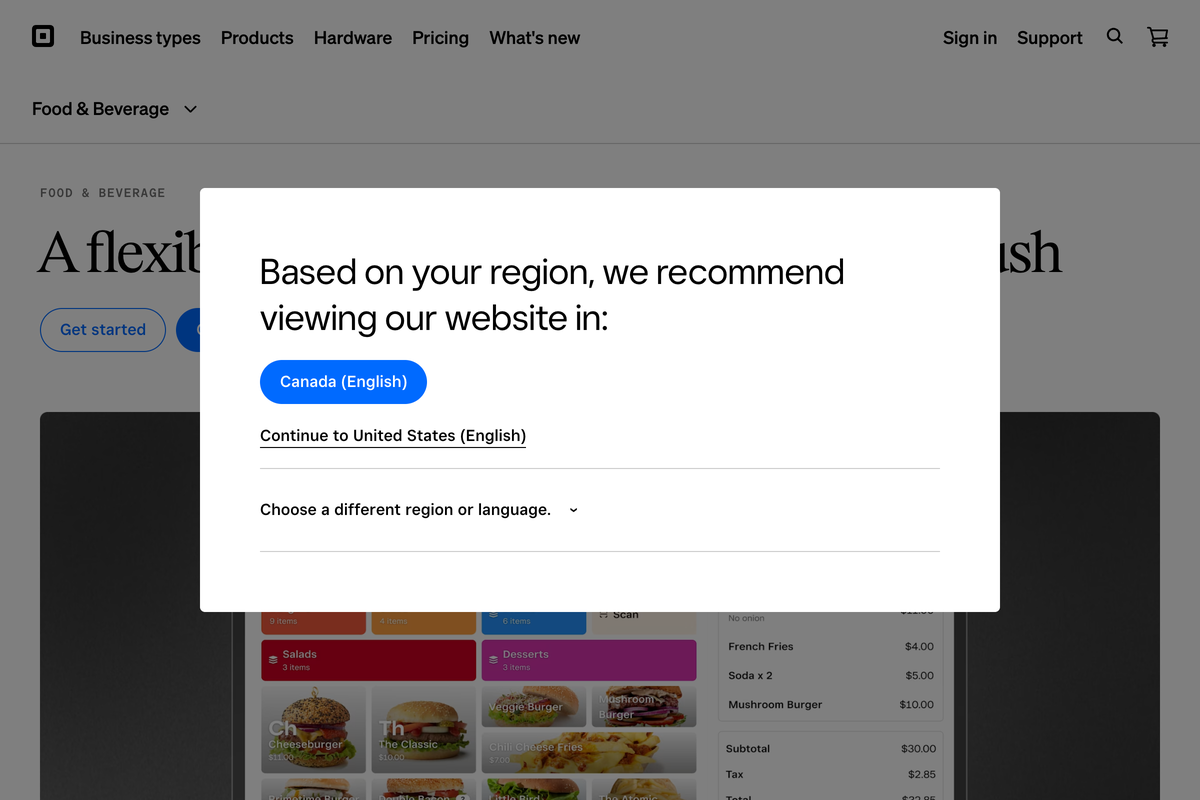
Square is the fastest exit from Toast, and the cheapest to test. The free plan is a real restaurant POS, not a demo, and NerdWallet's Square for Restaurants review rates the platform 5.0 with "no long-term contracts or termination fees."
- Paid tiers deepen the toolkit. Plus at $49 per location per month and Premium at $149 per location per month, with in-person processing stepping down from 2.6% + $0.15 on Free to 2.4% + $0.15 on Premium.
- Add-on apps price per device. The kitchen display runs $30/month per device on Plus and $20/month on Premium (verified on Square's restaurant pricing page, June 2026).
- The trade against Toast is simple. You give up some restaurant-grade depth and gain freedom: no 2-year processing agreement, no termination fee, and a hardware lineup that starts with a free magstripe reader instead of a $1,000 kit.
- Best forSmall operators who value an easy exit
- PricingFree; Plus $49/mo; Premium $149/mo
- Processing2.6% + $0.15 in person, down to 2.4%
- What to weighFree-plan rate is the priciest path
What to weigh
- Free-plan processing is the priciest path here, at 2.6% + $0.15 in person and 3.3% + $0.30 online (source: NerdWallet review).
- Front-of-house depth is thinner than restaurant-specialist systems, and per-device app fees stack as you add screens (sources: NerdWallet review; Square's restaurant pricing page).
Best for: Single-location and small-group operators who value an easy exit over maximum restaurant depth.
Clover
Best for counter-service and hardware-first operators who want the lowest card-present rate on this list.
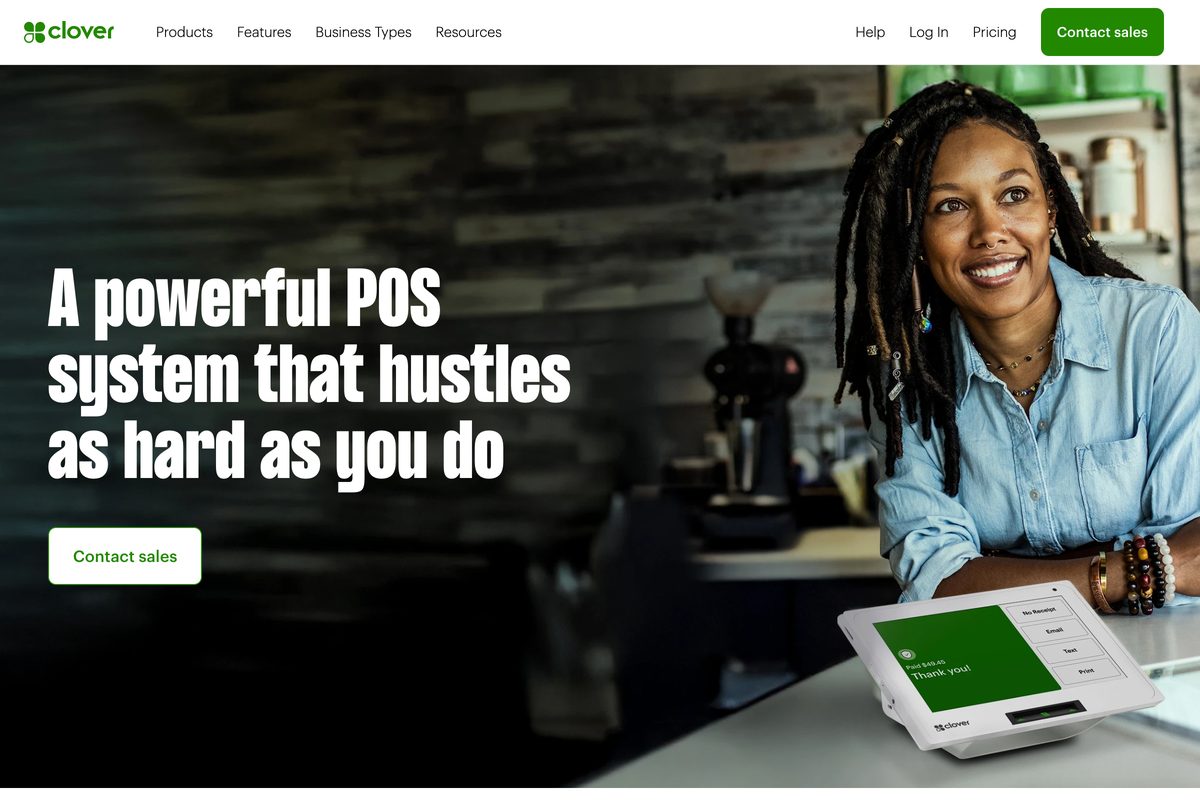
Clover sells the POS the way restaurants buy equipment: as bundles. Full-service plans start at $179/month on 36-month terms, quick-service at $135/month, or you can buy hardware upfront from $1,799 plus $89.95/month for software (Tech.co's Clover pricing guide, December 2025, verified against Clover's pricing pages June 2026).
- The draw is the processing rate. 2.3% + $0.10 card-present on restaurant plans, the lowest published rate among these 5. For a counter-service spot ringing thousands of small tickets, that gap compounds fast.
- The catch is everything around the rate. Clover's Capterra profile shows a 3.8 rating across 575 reviews with customer service at 3.2 and value-for-money at 3.4, and unexpected or recurring charges appear in 89% of negative reviews.
- Best forQuick- and counter-service operators
- PricingFull-service from $179/mo (36-mo)
- Processing2.3% + $0.10 card-present, lowest here
- What to weighBilling complaints; 36-month term
What to weigh
- Billing complaints are Clover's loudest review theme, with duplicate and unresolved charges cited repeatedly, and phone support rates just 3.2 (source: Capterra reviews).
- The 36-month bundle term is longer than the Toast contract you may be trying to escape (source: Tech.co pricing guide).
Best for: Quick-service and counter-service operators who will run the math on processing savings against a 3-year commitment.
Lightspeed Restaurant
Best for growing multi-location groups that need configuration depth more than a low sticker price.
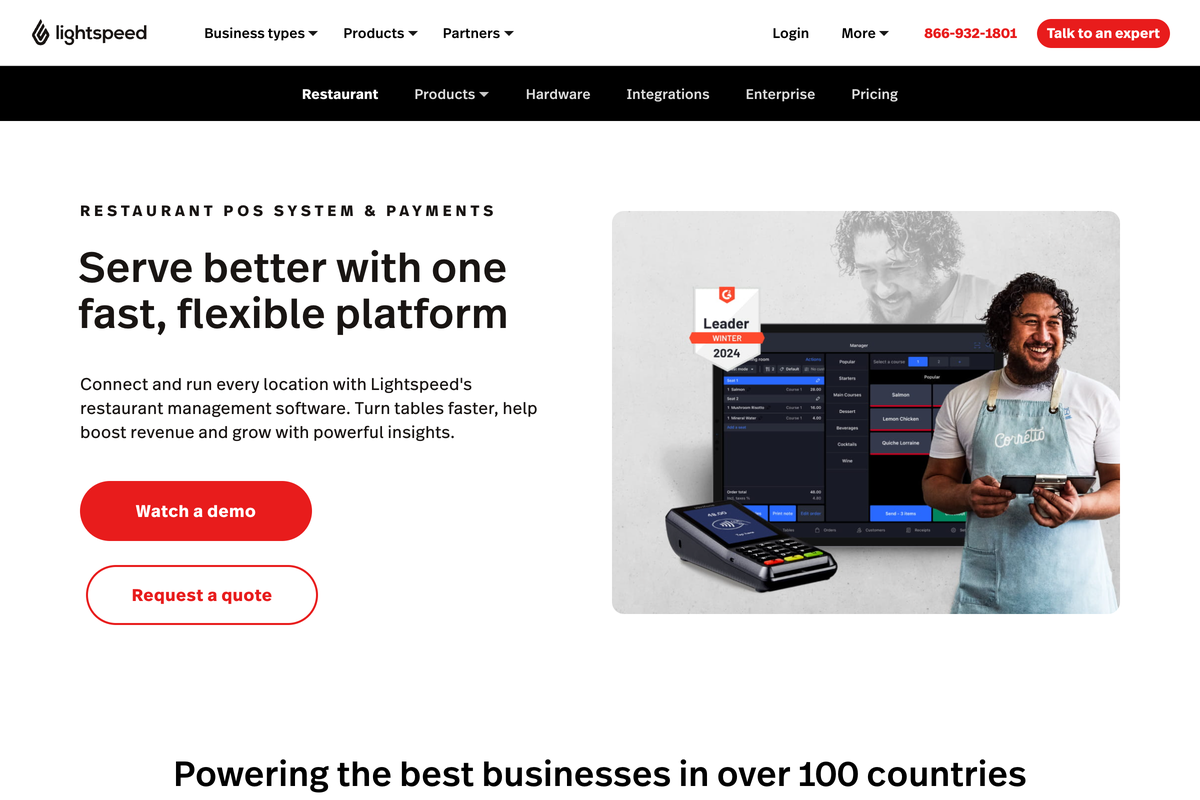
Lightspeed is the step-up option: more menu logic, more reporting, and more multi-location structure than entry-level POS tiers, with a 4.4 rating across 215 Capterra reviews. US plans run Starter at $69/month, Essential at $189/month, and Premium at $399/month, with custom quotes for enterprise.
- Lightspeed competes on control, not price. Groups that have outgrown one-size workflows get granular menu, floor, and reporting configuration, and the plan ladder is published rather than quote-gated.
- The honest caveat is that the ladder is steep. The jump from Starter to Essential nearly triples the monthly cost, so model which tier your operation actually needs before comparing it against Toast's $69 plan.
- Best for2-to-20 location groups that need depth
- PricingStarter $69; Essential $189; Premium $399
- Processing2.6% + $0.10; custom on Premium
- What to weighSteepest tier jump on this list
What to weigh
- The Starter-to-Essential jump from $69 to $189 is the steepest tier step on this list, and Premium processing moves to custom rates, so total cost takes modeling (source: Lightspeed's published plan pricing via its Capterra listing).
Best for: 2-to-20 location groups that want room to grow into their POS instead of out of it.
TouchBistro
Best for full-service dining rooms that want a restaurant-focused POS.
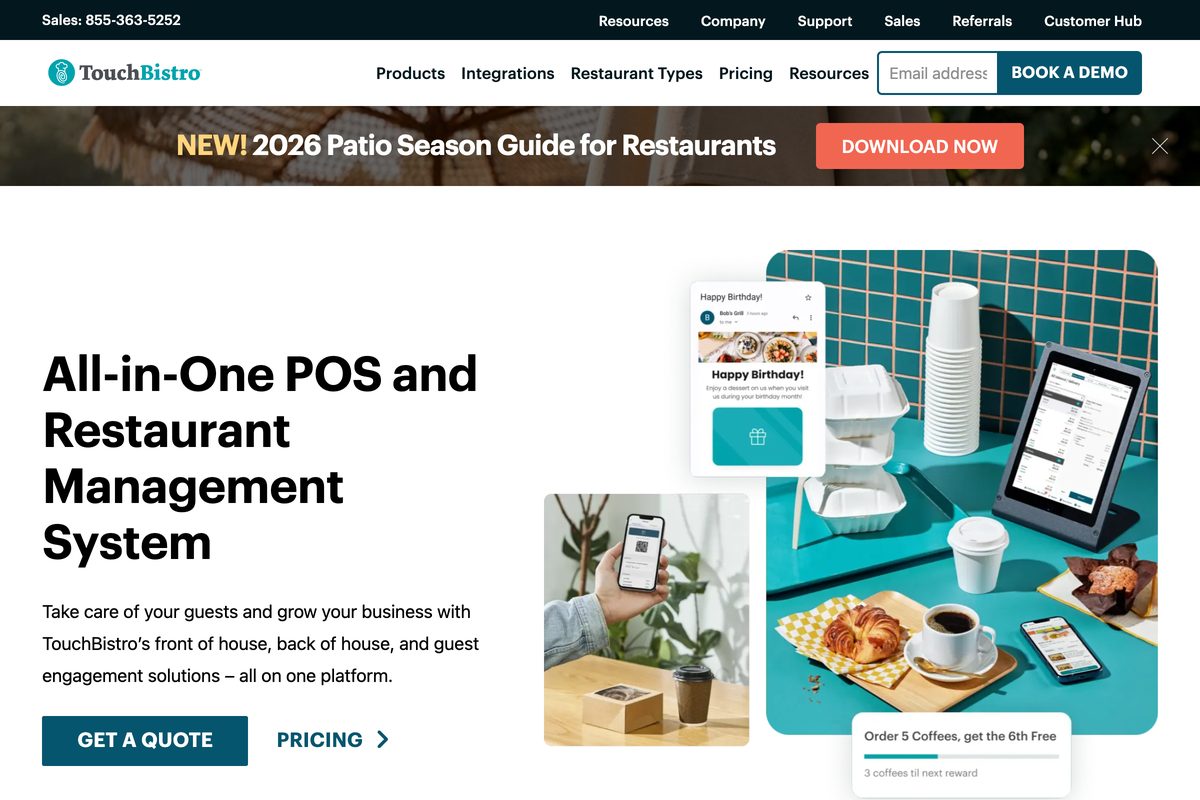
TouchBistro does one thing: restaurant POS, with table management, floor plans, and tableside ordering at the core. There is no retail mode and no payments-company parent steering the roadmap, which is exactly why full-service operators shortlist it.
- Pricing now starts at $89/month for the POS. An Essentials bundle from $99/month adds integrated payments and hardware (verified on TouchBistro's pricing page, June 2026). Worth knowing: third-party listings such as Capterra still show the older $69/month starting price, so quote directly. Capterra rates it 3.8 across 412 reviews.
- It trades ecosystem breadth for focus. Against Toast, you lose native payroll and capital products and gain a system where every feature was designed around a dining room.
- Best forIndependent full-service restaurants
- PricingPOS from $89/mo; Essentials from $99/mo
- ProcessingRates quoted; add-ons quote-only
- What to weighReal monthly cost is opaque
What to weigh
- The starting price moved from the long-advertised $69 to $89/month, and add-ons like online ordering, reservations, and loyalty are quote-only, so the real monthly cost is opaque until you talk to sales (sources: TouchBistro pricing page; Capterra listing, which also shows no free trial or free version).
Best for: Independent full-service restaurants where table workflow matters more than ecosystem extras.
SpotOn
Best for operators who are done with fee surprises and want posted prices.
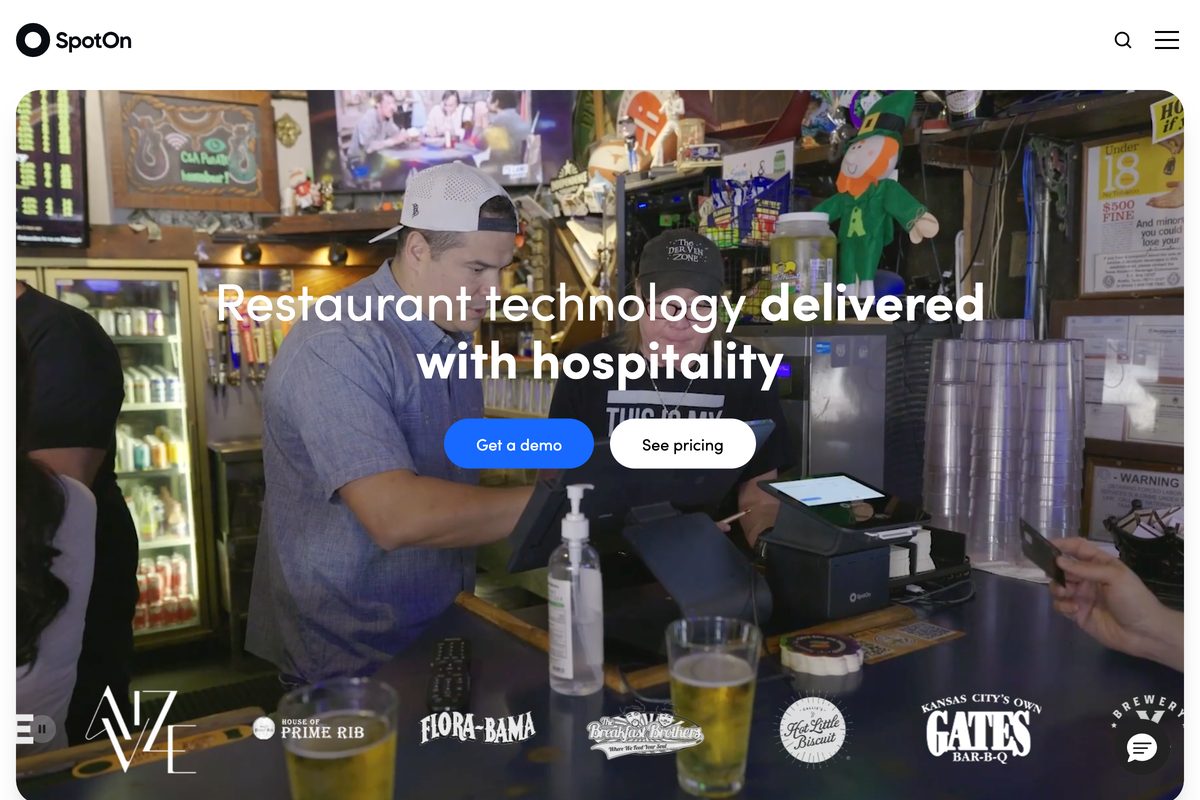
SpotOn built its pitch on the exact frustration sending many operators away from Toast: opaque costs. Its pricing page posts the numbers most POS vendors gate behind a sales call: POS Essentials at $55/station/month with 2.45% + $0.15 card-present processing on month-to-month terms, or an All-In plan at $0/station/month with 2.79% + $0.20 processing and a 2-year minimum (verified on SpotOn's pricing page, June 2026).
- Reviews back the positioning. SpotOn Restaurant holds a 4.2 on Capterra across 370 reviews, and unusually, it scores that same 4.2 on ease, features, support, and value, with no weak leg.
- Against Toast, it is the like-for-like swap. Restaurant-focused software, handhelds, online ordering, and a reputation for service. Larger enterprise groups that need custom-quoted infrastructure tend to evaluate Oracle MICROS Simphony instead, but for independents through mid-size groups, SpotOn is the cleaner comparison.
- Best forOperators who want costs on the page
- PricingEssentials $55/station; All-In $0/station
- Processing2.45% + $0.15; 2.79% + $0.20 on All-In
- What to weigh$0 All-In has a 2-year minimum
What to weigh
- The $0 All-In plan carries a 2-year minimum term and processing minimums, so it is not as commitment-free as it looks (source: SpotOn's pricing page).
- Technical glitches appear in 60% of negative reviews, alongside complaints about slow phone support (source: Capterra reviews).
Best for: Operators who want Toast-style restaurant software with the costs printed on the page.
The 2 finance tools that fix Toast problems a POS switch won't
Stop here if your diagnostic checks landed in the right column. Neither of the next 2 tools rings in an order, processes a payment, or replaces a terminal, and neither belongs in a POS bake-off.
They sit on top of whichever POS you keep, Toast included, and run the money side: spending, receipts, invoices, cash, and the books. That distinction is the whole point. If service works, you should not have to retrain your staff to fix your back office.
What to weigh
If the job reaches beyond the POS, compare the broader stacks in this restaurant management software guide.
Tab
Card and receipt toolBest if Toast runs your service fine and the actual problem is corporate spend, receipts, cash visibility, accounting exports, and back-office expense intelligence.
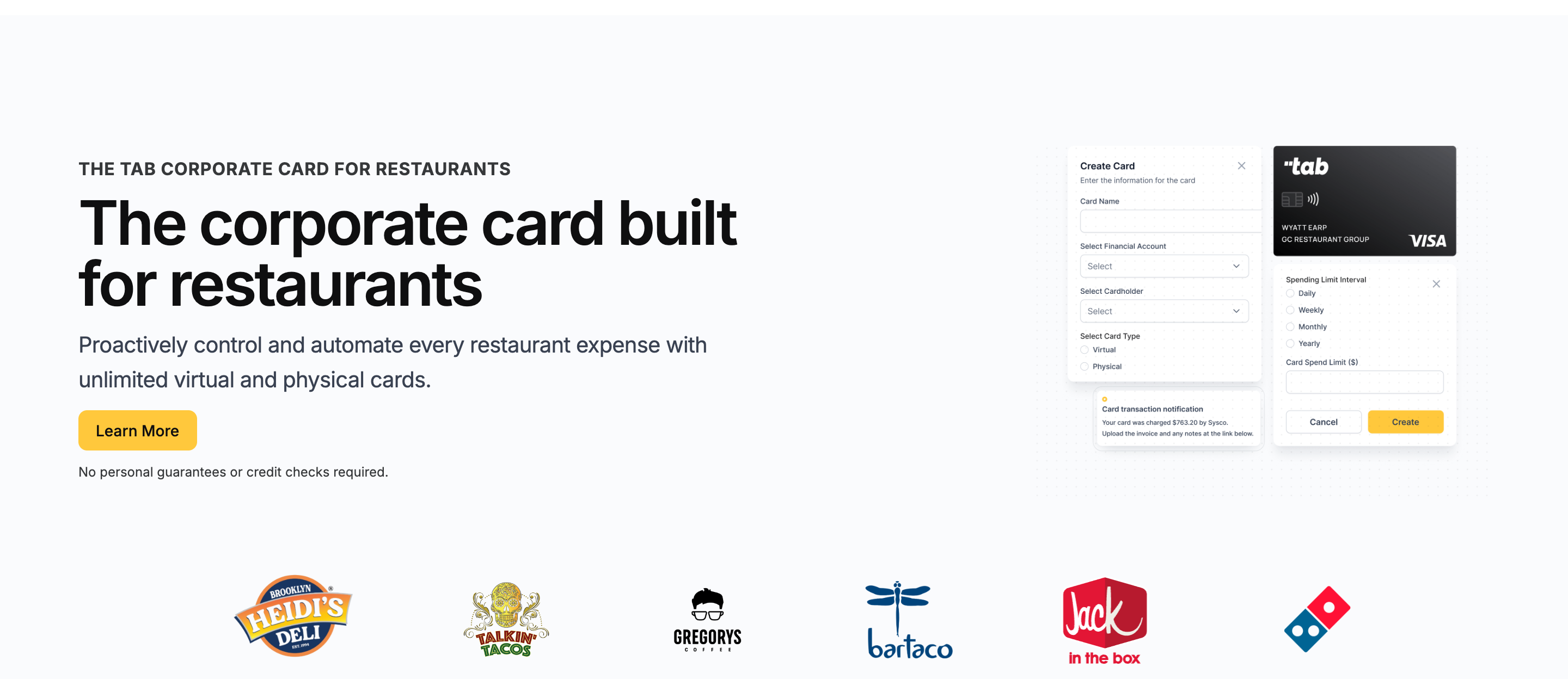
Tab is not a POS. It runs beside Toast, Square, Clover, Lightspeed, or TouchBistro and handles restaurant corporate cards, receipt follow-up, virtual accounts, accounting exports, and Andy AI for 1,000+ restaurants.
- Start with the spending problem no POS addresses. Tab issues unlimited virtual and physical Visa cards with custom limits, each tied to the right person, location, and vendor.
- The workflow follows the restaurant org chart. Multi-location groups can map spend to locations, LLCs, and bank accounts instead of reconciling everything from one card statement.
- Directors of ops and finance stay in control. Repairs and maintenance, office staff, controllers, and corporate leaders can spend without pushing expenses onto personal cards.
- Then the receipts. After every swipe, the cardholder gets a text and email prompt to snap the receipt, add a note, and tag the location, with location tagging that can split one purchase across stores.
- The books arrive with more restaurant context. Tab sends the coded transactions through its full QuickBooks Online integration on the free plan. For Restaurant365 and other accounting workflows, Tab can work with operators on customized exports.
- Andy goes beyond the card transaction. On Pro, Andy AI can digitize distributor invoices, read line items, monitor contract compliance, flag price spikes, and surface rebate opportunities.
- Bill pay and AP stay in the tool you already use. Andy AI checks purchasing data, invoices, vendor agreements, pricing, and rebates; it does not schedule or send payments.
The rewards story is simple: Tab's Base plan includes unlimited cash back, and no credit check is required. The operational value is cleaner receipts, clearer accounting details, and support built around restaurant spending.
- Restaurant operators get human support. Tab's team helps with setup, spending practices, receipt habits, accounting workflows, and export details instead of handing operators a generic help center.
- Restaurant data gets more context. Card spend, receipts, bank/account data, Restaurant365 exports, and Andy invoice intelligence can sit closer together than they do in a POS-only stack.
- Restaurant teams keep the POS they already use. Tab runs beside Toast, so service workflows do not need to be rebuilt to improve cards and receipts.
Operators who shopped around landed here at real scale: Rock Strategic runs 75+ units on Tab and Heidi's Brooklyn Deli runs 8+ locations. The quote above comes from Tab's card launch announcement.
- Best forPOS works, but the money side does not
- PricingBase free; Pro $150/mo/location
- Rewardsunlimited cash back on Base
- Built forMulti-location finance beside any POS
What you get on the free plan:
- Unlimited virtual and physical cards
- Custom limits by employee, location, and vendor
- Automated receipt capture by text and email
- Full QuickBooks Online integration included
- Unlimited cash back, no annual fee
- Live US-based human support
Pricing: Tab's Base plan is free and includes the cards, receipt capture, the full QuickBooks Online integration, accounts, and live US-based support. Pro is $150/month/location and adds Andy AI for invoice intelligence, price checks, rebates, and contract visibility. Groups with 5+ locations get custom pricing and a dedicated Account Manager, and setup takes about one week and is ready for the first billing cycle.
Best for: Restaurants whose POS works but whose card, receipt, cash, or accounting workflow needs attention. The 5 POS systems above address service and hardware problems; Tab works beside them and does not replace those jobs.
Craftable
Best if the back-office pain is inventory, purchasing, AP, and food-and-beverage variance rather than spending and cash.
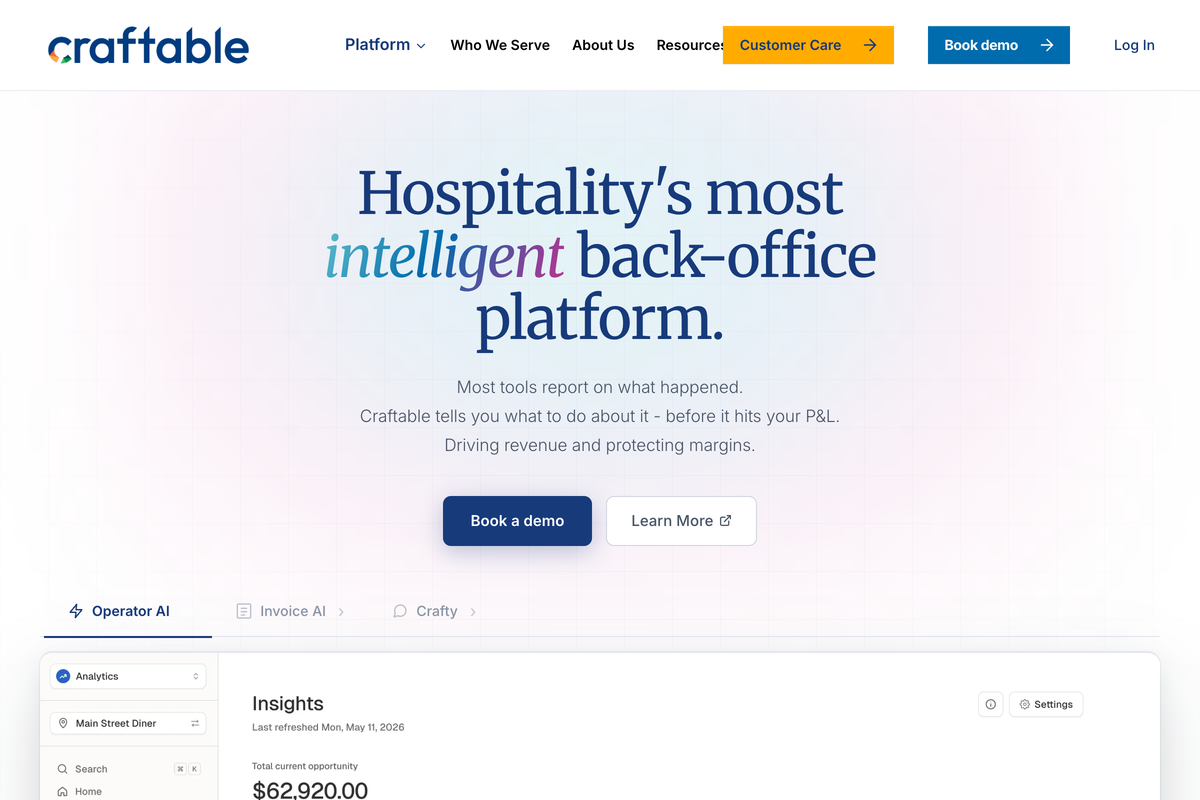
Craftable attacks a different back-office leak: inventory and purchasing variance. It connects purchasing, inventory, recipes, sales, and AP so food-and-beverage-heavy operators can see what they bought, what they used, and where cost drift is hiding. Reviewers rate it 4.5 across 123 Capterra reviews.
- It pairs with POS systems rather than replacing them. That makes it useful when the Toast issue is not order entry or payments, but inventory, purchasing, recipes, and AP visibility around the POS.
- The lane next to Tab is clean. Craftable helps operators manage inventory, purchasing, and cost variance. Tab controls corporate spend, receipts, cash movement, and accounting exports. Diagnose which leak is bigger before paying for either.
- Best forInventory, purchasing, and AP visibility
- PricingCustom; Capterra from $99/user/mo
- Pairs withToast and other restaurant POS stacks
- What to weighInventory setup takes operator time
What to weigh
- Craftable does not publish first-party pricing, so the $99/user/month starting figure should be treated as a Capterra reference, not a quote.
- Inventory setup takes operator time, so the payoff depends on whether food and beverage variance is truly the leak. The restaurant food cost calculator shows whether that gap is large enough to justify a new system. Then compare xtraCHEF alternatives for invoice-to-food-cost work or this restaurant procurement software guide for ordering and receiving.
Best for: Food-and-beverage-heavy operators who need inventory, purchasing, AP, and variance reporting beside the POS.
Toast Capital alternatives: when the problem is not the POS
Toast Capital deserves its own section because it sends operators to this page who have no POS complaint at all.
- Here is how it works, per Toast's Capital FAQ and eligibility pages: offers are issued by WebBank, based largely on card processing volume and time on Toast, and repaid as a fixed percentage of daily card sales. Offer size, term details, and total repayment can change, so verify the current offer terms before comparing.
- To be fair, the convenience is real. Toast states there is no compounding interest and no application, prepayment, or late fees. That is useful, but it is not the same as knowing your effective cost.
- The fit problem is structural. Repayment comes out of the same card sales that fund payroll and rent, every single day, and eligibility lives inside your POS relationship. A slow month does not pause what you owe; it just stretches it.
So before borrowing, name the actual gap:
What to weigh
- A build-out or a second location is a financing problem. Compare restaurant equipment financing, bank, and SBA options on total cost.
- A 3-week gap between a big vendor bill and the weekend's deposits is a timing problem, and timing problems do not require borrowing against future sales.
That second case is where Tab's structure can fit. The Base plan includes unlimited cash back, receipt capture, virtual accounts, and cleaner visibility into where cash is sitting. In many restaurants, the panic is not "we need debt." It is "we cannot see the timing, the location, or the category clearly enough."
Visibility can clarify whether the gap is timing or financing. Restaurant virtual accounts give each location or purpose its own account, receive POS revenue deposits directly, and move money between accounts in real time, subject to current account terms. That view can help finance compare the cash on hand with the amount and timing of the project.
The verdict
Ways to narrow the list
- Service or hardware is failing: compare Square for smaller rooms, TouchBistro for table service, and Lightspeed for growing groups that need more depth.
- Processing costs or contracts are the issue: compare Clover's published processing against its 36-month term and SpotOn's posted station pricing and contract options.
- Toast works but cards and receipts do not: Tab can work beside Toast with manager limits, receipt texts, restaurant and entity details, virtual accounts, and customizable exports. Bill pay and AP stay in the tool that already handles them.
- The problem is inventory, purchasing, AP, or food and beverage variance: Craftable focuses on that cost-control work.
A POS migration is unlikely to solve missing receipts, card limits, or cash visibility. Those jobs sit outside order entry and guest payments, so changing the POS can leave the same finance work open.
FAQ
No. Tab is not a POS and does not replace Toast's order entry, terminals, payment processing, kitchen display, or online ordering. Tab is a restaurant finance platform for corporate cards, virtual accounts, multi-location accounting exports, expense automation, and Andy AI that runs beside Toast or any POS on this list. Square, Clover, Lightspeed, TouchBistro, and SpotOn are the POS options compared above.
It depends on why you are leaving. Square for Restaurants offers a contract-free option for small operations, TouchBistro focuses on full-service dining rooms, Lightspeed Restaurant supports growing multi-location groups, Clover posts a lower card-present rate, and SpotOn publishes month-to-month pricing. If service works and the open problem is manager cards or receipts, Tab can work beside Toast instead of replacing the POS.
Toast Capital loans are repaid as a fixed percentage of daily card sales, per Toast's Capital FAQ. Traditional bank or SBA financing can be compared on total repayment and daily cash impact for larger projects. Tab is not a project loan, but its cards, receipt capture, virtual accounts, and cash visibility can help with day-to-day spending. The Base plan is free and includes unlimited cash back, with no credit check required.
Not necessarily. Missing receipts, uncoded card purchases, unclear restaurant spend, and a slow month-end close sit outside order entry and guest payments. Tab can handle that work with receipt texts, restaurant details, transaction approvals, a full QuickBooks Online integration, and customizable exports. A POS change is more relevant when service, hardware, processing costs, or contracts are the problem.
Yes. Tab runs alongside Toast without changing it. Tab Connect links existing bank accounts and eligible Mastercard and Visa cards for one view of cash and spending, virtual accounts can receive POS revenue deposits, and the card program runs independently of processing. Toast can keep handling service while Tab handles card controls, receipts, multi-bank visibility, Andy AI, a full QuickBooks Online integration, and customizable accounting exports.
The bottom line
Toast frustration is real, but it splits 2 ways, and the fix depends on which half you are in. Broken service deserves a better POS, and 5 credible ones are compared above.
If service works and the open problem is card spend or missing receipts, Tab Card can handle restaurant limits, receipt texts, and accounting exports beside Toast. The Base plan is free, setup takes about one week and is ready for the first billing cycle, and no credit check is required.

James writes from Tab's work with restaurant groups choosing cards, receipt workflows, accounting handoffs, and support. Tab builds the AI-powered finance platform for restaurants: cards, accounts, payments, automation, and intelligence in one back office.


