








On this page
- Is Xero good for restaurants?
- Give Xero four jobs and stop there
- Build your Xero setup worksheet
- Set up revenue and cost accounts
- Track venues without breaking your entities
- Connect your POS, payroll, and card spend
- Run a weekly check and month-end close
- Xero vs QuickBooks for restaurants
- Avoid these setup mistakes
- FAQs
- Where to start this week
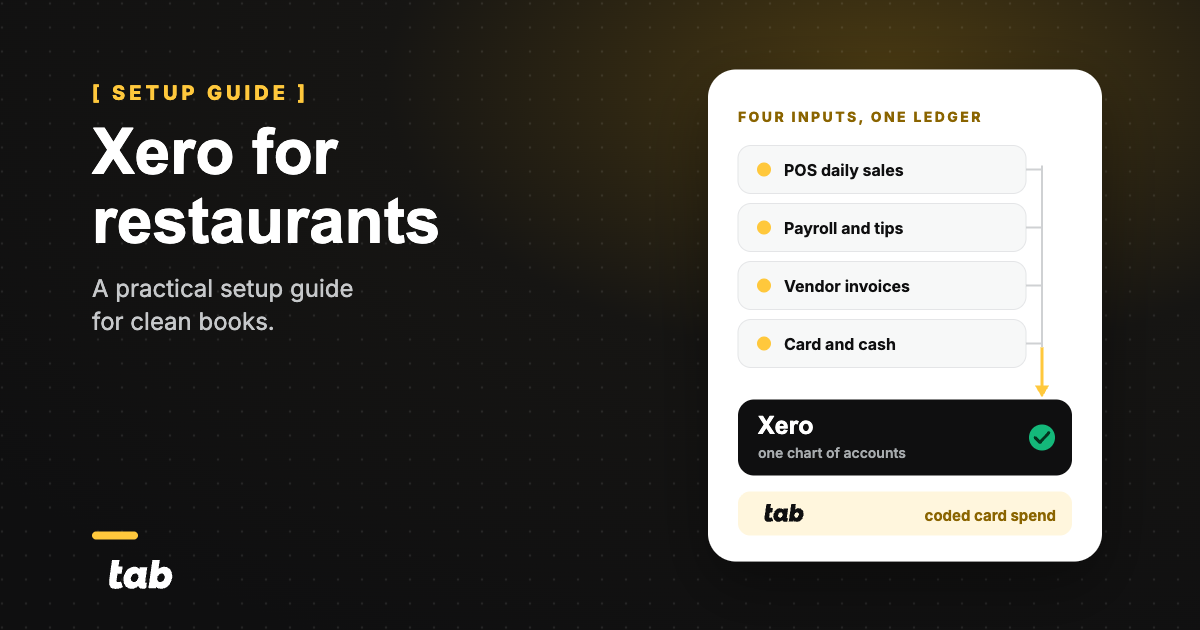
Xero can run a restaurant's books once the chart of accounts, venue tracking, POS feed, payroll, and card purchases are set up on purpose. It is a ledger, not restaurant operations software.
The usual problem is not Xero. It is messy input: net POS deposits, late invoices, and card purchases with no receipt or venue. This guide fixes the handoffs in the order they should be built.
The fit questionIs Xero good for restaurants?
Xero fits an independent restaurant or small group that wants clean books, per-venue reporting, and accountant access without a full restaurant accounting platform. Separate legal entities make the setup harder because each needs its own organization.
It handles POS summaries, reconciliation, receipts, and reporting. It does not understand recipes, plate costs, or shifts. That distinction matters when 42 percent of operators reported their restaurant was not profitable last year.
ScopeGive Xero four jobs and stop there
Give Xero four jobs: ledger, reconciliation, reporting, and accountant collaboration. Everything else feeds it. The POS owns sales, payroll owns wages and tips, inventory software owns recipes and counts, and the card program owns purchase coding and receipts.
On one Tuesday, 312 POS tickets become one daily sales summary; a produce invoice becomes a food COGS Bill; a supply-store purchase becomes one coded expense with a receipt; and payroll becomes a wage journal. Xero holds and reconciles those summaries. The source systems create them.
What Xero does and does not do for a restaurant
Xero does this
Keep these jobs in the ledger.
- General ledger and custom chart of accounts
- Bank and card feed reconciliation
- Vendor bills and AP tracking
- Per-venue and per-concept reporting via tracking categories
- P&L, balance sheet, and cash flow reports
- US payroll through Xero Payroll powered by Gusto, sold as a paid add-on
- No per-user license fees, so your accountant and bookkeeper cost no extra seat
- Basic tracked inventory for items bought and resold as-is
Xero does not do this
Give these jobs to another system.
- Recipe costing or theoretical food cost
- Plate-level menu engineering
- Scheduling or labor forecasting
- Ticket-level POS detail (it takes one daily summary)
- Component-based inventory for assembled dishes
- Collecting receipts off a manager's phone
- Consolidated reporting across separate legal entities
Build your Xero setup worksheet
Before you open Xero, decide who owns each input and how often it updates. Fill this in first; leaving it until later can mean re-coding months of transactions.
Xero restaurant setup flow
Entity structure
One Xero organization per legal entity. Decide this before anything else.
Chart of accounts
Revenue, COGS groups, labor, other operating, clearing accounts.
Tracking categories
Venue and Concept. Xero allows 2 active categories.
Bank and card feeds
Every operating account and every card, connected for daily reconciliation.
POS journal
One daily summary sales invoice per venue, not ticket-by-ticket.
Payroll
Xero Payroll powered by Gusto. Map wages, taxes, and tips payable.
Purchases
Vendor invoices land as Bills. Card purchases arrive already coded.
Close routine
Weekly reconcile, monthly clearing accounts to zero.
The worksheet is the deliverable. Print it, fill it, then build.
Xero restaurant setup worksheet
| Row to fill | Xero field or category | Source system | Update frequency | Who owns it |
|---|---|---|---|---|
| Venue | Tracking category "Venue" | Your org chart | When a venue opens or closes | Controller |
| Concept | Tracking category "Concept" | Brand list | Rarely | Controller |
| Sales channels | Revenue accounts: dine-in, delivery, catering, retail | POS and delivery portals | Daily | Bookkeeper |
| COGS groups | COGS accounts: food, beer, wine, liquor, non-alcoholic, paper and packaging | Vendor invoices and inventory counts | Weekly or monthly | Chef or purchasing lead |
| Labor | Wage, payroll tax, benefit, and tips payable accounts | Payroll | Every pay run | Payroll admin |
| Vendor invoices | Bills | Vendor portals, email, procurement tool | Daily or weekly | AP clerk |
| Card purchases | Expense accounts plus venue tag | Card program | Per purchase | Finance reviewer |
| Clearing accounts | POS settlement clearing, gift card liability, tips payable, sales tax payable | POS and bank | Weekly | Controller |
| Owner per row | Not a Xero field, name a real person | Your team | Set once, review quarterly | Owner or CFO |
For a three-venue group in one LLC, the Venue category might be Downtown, Airport, and Westside; Concept might be Taqueria and Bar. Each transaction carries both tags, so the controller can run a P&L by venue, concept, or both.
If you are still deciding how many venues to run under one roof, the restaurant expansion strategy guide covers how entity and venue decisions compound as you add units.
Chart of accountsSet up restaurant revenue and cost accounts
Xero's default chart is generic. Rebuild it from Accounting > Chart of accounts before posting transactions so beverage, delivery fees, labor, and pass-through liabilities do not blur together.
Restaurant chart of accounts in Xero
| Group | Accounts to create | Why restaurants split it this way |
|---|---|---|
| Revenue |
|
Beverage margin behaves nothing like food margin, and a blended "sales" line hides both. |
| Contra-revenue |
|
Netting these into revenue makes your sales look smaller and your costs look cleaner than they are. |
| COGS |
|
These are the groups your invoices already arrive in, so coding matches the paperwork. |
| Labor |
|
Prime cost only works if kitchen and front-of-house labor are separate lines. |
| Other operating |
|
Controllable costs need to sit apart from fixed occupancy or your GM gets judged on rent. |
| Clearing and liability |
|
Money that passes through the business is not revenue and not expense. It needs somewhere to sit until it clears. |
Two rules that save the most cleanup work later.
Keep delivery gross, not net. Book the full menu price as revenue and the platform commission as its own expense line. Booking the net deposit hides the commission and understates your sales.
Give every pass-through its own clearing account. Sales tax collected, gift cards sold, and tips owed are not yours. If they mix into revenue, every ratio you calculate afterward is wrong.
Once the accounts exist, the food cost line only tells the truth if the underlying numbers do. The restaurant food cost calculator is a fast way to sanity-check what your COGS percentage should be before you start trusting the report.
Venues and entitiesTrack venues without breaking your entities
Xero uses tracking categories for venue-level reporting, and only two can be active at once. Restaurants usually use Venue and Concept.
Tracking is a reporting tag, not legal separation. Separate LLCs need separate Xero organizations, subscriptions, bank feeds, and books. Xero has no native consolidation, so group reporting requires an outside rollup.
Venue tracking or separate Xero organizations?
All venues sit inside one legal entity, one EIN, one tax return
One Xero organization. Use the Venue tracking category.
Do you run more than one brand?
YESUse the second tracking category for Concept. That is your limit, Xero allows 2 active categories.
NOLeave the second category open for a future need such as Daypart or Sales channel.
Venues are separate LLCs with their own EINs
One Xero organization per entity. Each carries its own subscription and its own books.
Do you need a group-level P&L?
YESExport each organization's P&L and consolidate outside Xero. There is no native consolidation.
NORun each entity's reporting on its own and keep the tracking categories free for venue detail inside each one.
Using one organization for separate LLCs may look cheaper, but it creates cleanup when taxes, financing, ownership, or a sale requires entity-level books.
The five feedsConnect your POS, payroll, and card spend
Xero is only as good as the five streams feeding it.
1) POS sales: one daily journal, not tickets
Your ledger wants one summary per venue per day, not hundreds of tickets. The Square integration posts the previous day's sales summary with tips, taxes, and processing fees; listed Xero hospitality apps follow the same pattern.
If your POS has no listed Xero app, post a daily sales journal manually or through a connector. Reconcile against the journal rather than bank deposits alone, because deposits arrive net of fees, chargebacks, and multi-day batches.
2) Payroll and tips: US-specific, and newly so
Xero Payroll, powered by Gusto, launched for eligible US customers in August 2026 and is a paid add-on. It covers payroll runs, tax filings, direct deposit, W-2s, 1099-NECs, benefits, and employee self-service.
Map tips to Tips payable, not wage expense. Employees generally report cash tips by the 10th of the following month; establishments with more than 10 employees on a typical business day may also need Form 8027 and the 8-percent allocation test. Confirm the filing rules with your payroll adviser.
3) Inventory and recipe costs: Xero is not the tool
Xero tracks items resold as-is, but says it is not suitable when goods are assembled from components. Run restaurant counts and recipe costing in an inventory or procurement tool, then post an adjustment journal to Xero.
4) Vendor invoices: get them in as Bills
Enter invoices as Bills, coded to the right COGS group and venue and dated when received. If paperwork is the bottleneck, standardize how it arrives using the restaurant vendor management guide.
5) Card purchases: the row that stays blank
Card purchases often reach the bank feed with only a merchant name. Without a receipt, venue, or GL code, the bookkeeper guesses or waits and the close slows down.
Works alongside your Xero setup
Tab works with Xero by collecting the purchase details before they reach the ledger. After a manager swipes, Tab texts for the receipt, location, and note; average receipt submission time is 90 seconds.
Swipe, text, receipt, coded
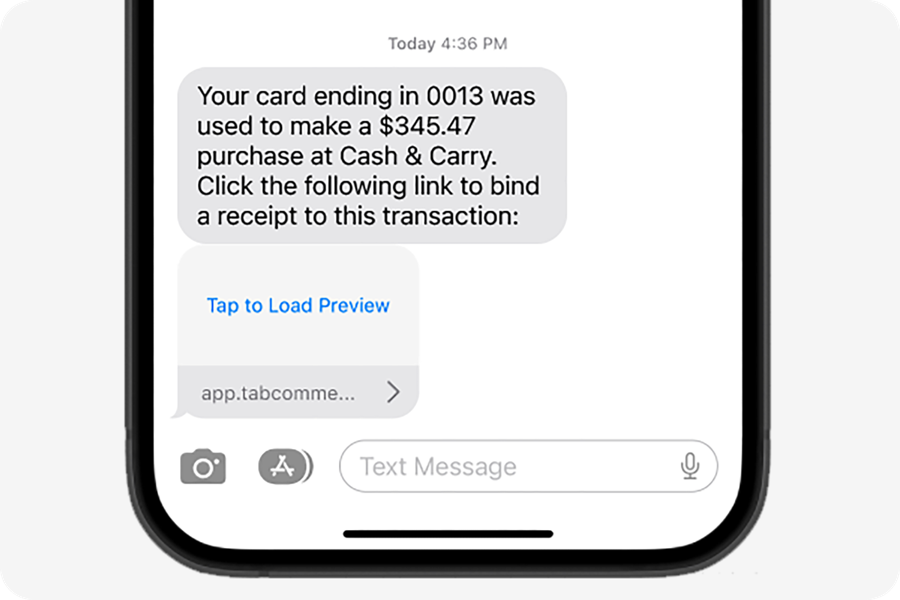
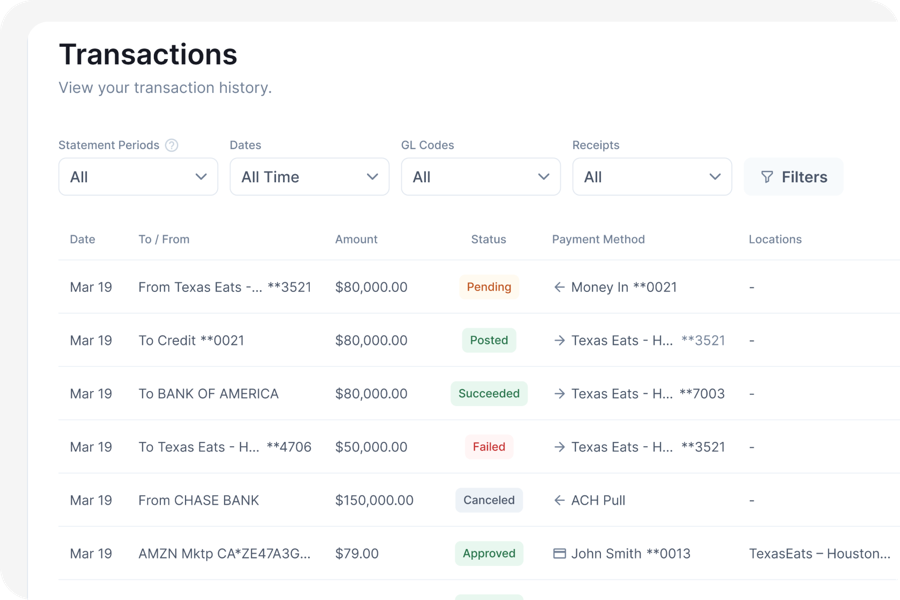
A finance reviewer confirms the GL code, and one purchase can be split across restaurants. For Xero, Tab provides a customizable CSV export rather than a live sync, so plan a weekly or monthly import.
The Base plan is free, setup takes about one week, and Tab reports 85%+ higher accuracy on accounting work. The value grows as spending spreads across managers and locations because receipts stop holding the books open. For invoice and vendor-agreement checks, see the AI for restaurants guide.
The rhythmRun a weekly check and month-end close
A restaurant close is not a month-end event. It is a weekly habit that makes month end short.
The weekly and month-end rhythm in Xero
-
Every MondayWeekly
- Reconcile last week's bank and card feed lines
- Confirm the daily POS sales journal posted for every venue, every day
- Chase any card purchase still missing a receipt or venue tag
- Check the POS settlement clearing account is near zero
-
Every pay runPer payroll cycle
- Confirm the wage journal hit the correct venue tracking option
- Check tips payable moved and did not land in wage expense
- Verify payroll taxes posted to their own account
-
Days 1 to 3 after month endMonthly
- Post the last vendor invoices for the period
- Accrue invoices that arrive after the cutoff, dated to the period
- Post the inventory adjustment journal from your counts
-
Days 3 to 5Monthly
- Clear the POS settlement account to zero
- Reconcile gift card liability and sales tax payable
- Confirm every bank and card account is fully reconciled
-
Days 5 to 7Monthly
- Run the P&L by venue and by concept
- Compare prime cost against target for each venue
- Review the numbers with each GM while the month is still fresh
The single best signal that your setup is working is the POS settlement clearing account. If it sits near zero every week, sales, fees, and deposits are tying out. If it drifts, something upstream is wrong and you will find it in seven days instead of seven weeks.
Once the close is reliable, use the restaurant budgeting guide to turn the per-venue P&L into a budget GMs can manage.
The other optionXero vs QuickBooks for restaurants
Pick Xero when user count and venue reporting matter most. Its US plans list no per-user license fees, and tracking categories cover venue and concept reporting inside one organization.
Pick QuickBooks Online when the rest of your stack already runs on it. More US restaurant tools, bookkeepers, and card programs build to QuickBooks Online first, and that shows up as fewer manual imports.
Reconsider both when you run many legal entities. Each charges per organization or company file, and neither consolidates natively.
For the same setup walkthrough on the other platform, the QuickBooks for restaurants guide covers chart of accounts, classes, and locations. If you have not settled on either, the bookkeeping software for restaurants roundup compares the wider field including restaurant-specific platforms.
Cleanup trapsAvoid these setup mistakes
Five mistakes cause most cleanup work:
- Using the default chart. It buries the COGS and labor detail needed for prime cost.
- Treating tracking as legal separation. Separate LLCs still need separate organizations and books.
- Booking delivery revenue net. Record gross sales and the commission separately.
- Reconciling to deposits instead of the POS journal. Deposits arrive net of fees and across different days.
- Leaving card purchases uncoded until close, when nobody remembers the receipt or venue.
FAQs
Yes, when the locations share one legal entity. Separate LLCs need separate organizations and subscriptions, and Xero does not consolidate them natively.
Some, through the Xero App Store. If yours is not listed, use a connector or post a daily journal. The target is one summary per venue per day.
Only for basic resale items. Recipe costing, theoretical usage, and counts belong in restaurant inventory software, with periodic adjustments posted to Xero.
A card program can prompt for the receipt and venue at purchase, then export coded transactions. A receipt app also works if managers remember to open it; month-end chasing is the least reliable option.
Follow the legal structure: one entity can use venue tracking; separate LLCs need separate organizations. Confirm the structure with your accountant.
Where to start this week
Fill in the worksheet first, especially the owner column. Then build in order: entity structure, chart, tracking, feeds, POS journal, payroll, purchases, and close routine.
Tab collects the receipt by text, tags the venue, and applies your restaurant coding before the transaction reaches your ledger, then exports a customizable CSV you import into Xero. See how the expense and receipt workflow fits around your books.
Entity structure, tip reporting, and sales tax treatment are accounting and tax decisions. Use the worksheet to prepare the questions, then confirm your setup with your CPA before you file anything.


