


Contents
Restaurant vendor management runs from approving a supplier to paying the right amount. It covers contracts, ordering, receiving, invoice checks, credits, rebates, and vendor reviews. Most tools own only part of that path.
The expensive gaps are unchecked contract prices, missed delivery credits, unclaimed rebates, and card purchases that never become invoices. Buy for the gap costing your group money now.
What vendor management actually covers
Ordering is only the middle of the path. Money often leaks before and after it.
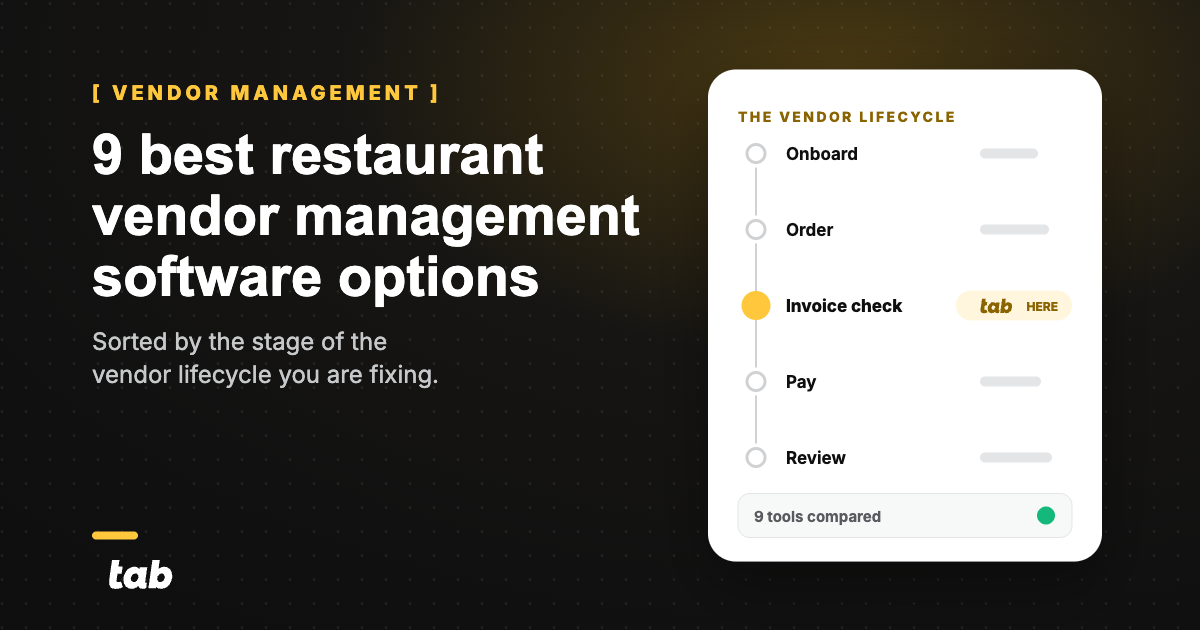
DiagramThe restaurant vendor lifecycle, five stages
-
1
Onboard
Approve the supplier, collect W-9 and certificate of insurance, store the signed agreement and the price sheet
-
2
Order
Build the order guide off contract prices, raise the PO, send it to the rep
-
3
Invoice check
Match what arrived against the PO, match the price against the agreement, log credits for shorts and substitutions
Tab Commerce, alongsideAndy AI checks invoice price against the vendor agreement
-
4
Pay
Release the bill, pay by ACH, check, or card
-
5
Review
Score fill rate and price variance, chase rebates, review card spend that never hit an invoice
Stage 5 loops back to stage 1 to renegotiate or replace the vendor
Four gaps show up in spreadsheet-run groups:
- Contract prices never meet the invoice. Small increases compound while the agreement sits in a folder.
- Nobody owns receiving. Shorts and substitutions miss the credit window.
- Scorecards use feelings. Track fill rate, price variance, and credit turnaround instead.
- Off-invoice spend disappears. Emergency purchases and repair bills never enter the ordering tool.
Rebates are easy to miss because someone must compare the agreement with the invoices and file the claim. Price variance, credits, and rebates are also among the fastest restaurant food-cost wins.
The 9 options at a glance
Read this by the broken step: accounting tools fix the ledger, ordering tools fix purchasing, and enterprise tools connect the supply chain.
Only MarginEdge and MarketMan publish prices. Restaurant365, Crunchtime, and Yellow Dog are heavier builds that need a clear implementation owner; the others can go in with less back-office disruption.
Comparison9 restaurant vendor management tools compared
| Tool | What it owns | Best fit | Setup effort | Accounting | Pricing posture |
|---|---|---|---|---|---|
| Restaurant365 | Purchasing, invoices, AP, and the ledger | Groups keeping their books in R365 | Heavy | Native, replaces your ledger | Custom quote |
| MarginEdge | Ordering, invoice processing, bill pay | Independents and growing groups | Moderate | Feeds your ledger | Published flat rate |
| MarketMan | Purchasing, vendor EDI, inventory | Stand-alone buyers who want published tiers | Moderate | Feeds your ledger | Published tiers |
| Craftable | Contract-price enforcement and overcharge flags | Groups losing money to price creep | Moderate | Feeds your ledger | Custom quote |
| Crunchtime | Enterprise supply chain plus labor and ops | Large multi-unit brands | Heavy | Feeds your ledger | Custom quote |
| Toast Inventory (xtraCHEF) | Order guides and invoice capture inside Toast | Restaurants already on Toast POS | Light | Feeds your ledger | Add-on to Toast POS |
| Apicbase | Invoice, PO and receipt matching plus multi-site procurement | Central kitchens and satellite sites | Moderate | Feeds your ledger | Custom quote |
| ChefMod | Managed procurement plus group purchasing | Groups wanting buying leverage, not software | Light | Feeds your ledger | Custom quote |
| Yellow Dog | Purchasing, vendor EDI, invoice automation | Hotels, clubs, stadiums, campus dining | Heavy | Feeds your ledger | Custom quote |
Where Tab Commerce fits in vendor costs
Use your vendor system for onboarding, ordering, and receiving. Use Tab beside it to check invoice prices and capture card purchases that never become invoices.
- Andy AI compares invoices with vendor agreements, then flags overpricing and missed rebates.
- Tab Card texts for the receipt, note, and restaurant after each purchase; receipts return in 90 seconds on average.
- Coded purchases reach QuickBooks Online through a full integration, with customizable exports for other ledgers.
"We looked at other expense systems but it just didn't compare to the technology that Tab has."
Teresa, Accounting Specialist, Rock Strategic (75+ units)
Price: Base is free with unlimited 1% cash back. Pro is $150 per location per month and includes Andy; groups with 5+ locations receive custom pricing. Setup takes about one week.
The 9 best restaurant vendor management tools
1)Restaurant365 - the accounting-led vendor workflow for groups already on R365
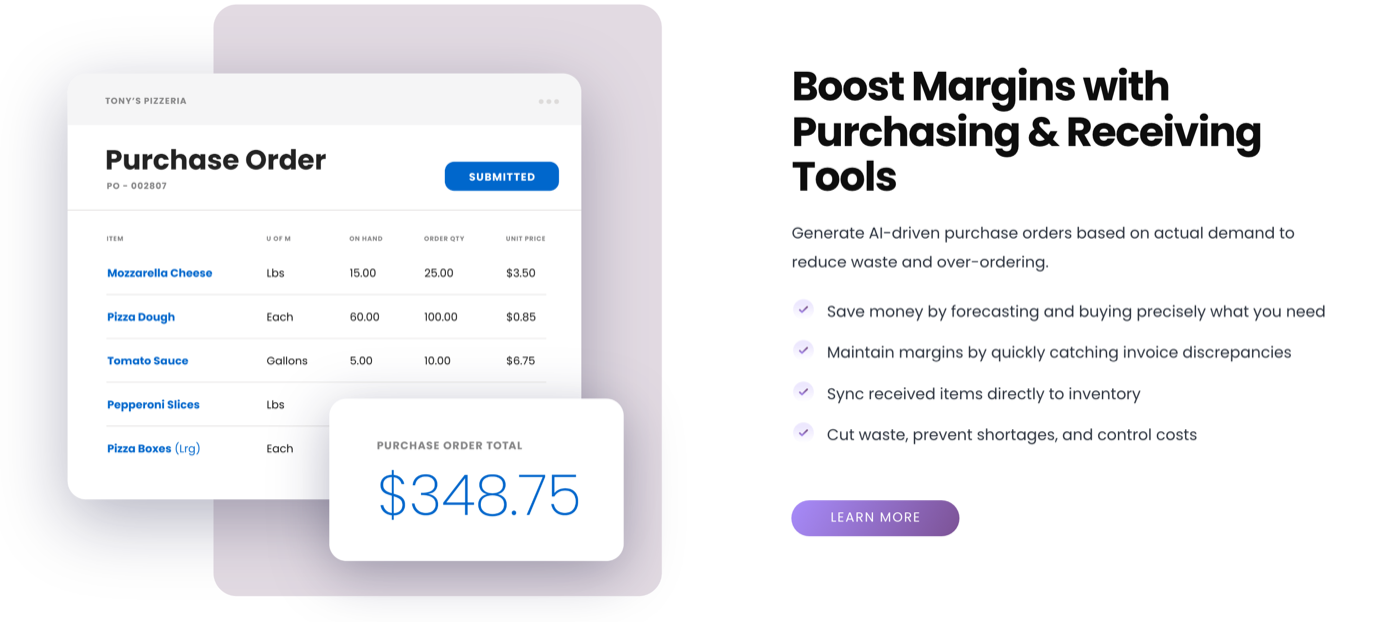
The only option here that owns the vendor workflow and the ledger at the same time. Purchasing, invoice approval, payment, and the financials run in one system, so the team has one place to look instead of two.
- Purchase orders use current inventory, forecasts, and PAR levels instead of last month's numbers. (Restaurant365)
- Delivery issues and invoice discrepancies surface before the credit window closes. (Restaurant365)
- AP covers invoice capture, coding, approvals, payments, and rebates. (Restaurant365)
Price: Custom quote. R365 publishes no rate card and asks buyers to build a plan with sales.
What to weigh This is the heaviest build here, and choosing it usually means moving the ledger too. Groups without someone who owns the month-end close tend to stall at the data load.
If the ledger is the real question, the QuickBooks for restaurants setup guide is the better next read before you commit to replacing it.
2)MarginEdge - ordering, invoices, and bill pay at one published price
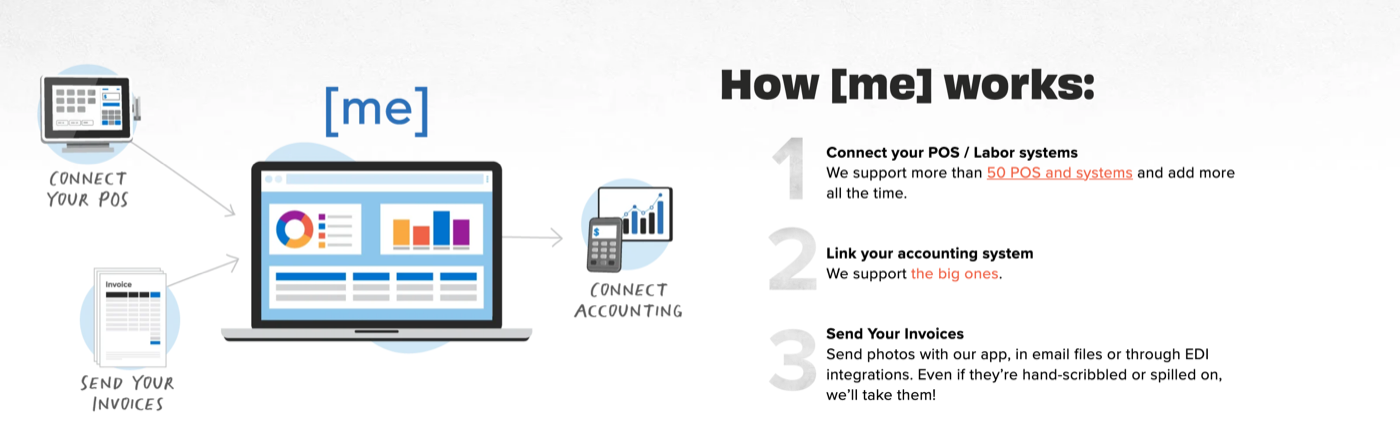
The clearest price in the category, and the rare tool that pays the bill instead of just reading it.
- Order guides update from processed invoices and can be managed centrally across locations. (MarginEdge)
- Photos, emailed files, and EDI invoices become line-item data in 24 to 48 hours. (MarginEdge)
- US bill pay is included without extra payment fees. (MarginEdge)
Price: $350 per location per month, and $500 for the MarginEdge and Freepour bundle that adds liquor inventory, both on MarginEdge's pricing page. The same page offers annual billing at a 10% discount.
What to weigh Flat per-location pricing is easy to forecast and gets expensive as unit count climbs, since a 20-unit group pays it twenty times. MarginEdge feeds accounting rather than replacing it, so the ledger stays where it is.
3)MarketMan - the stand-alone supplier and inventory pick with published tiers
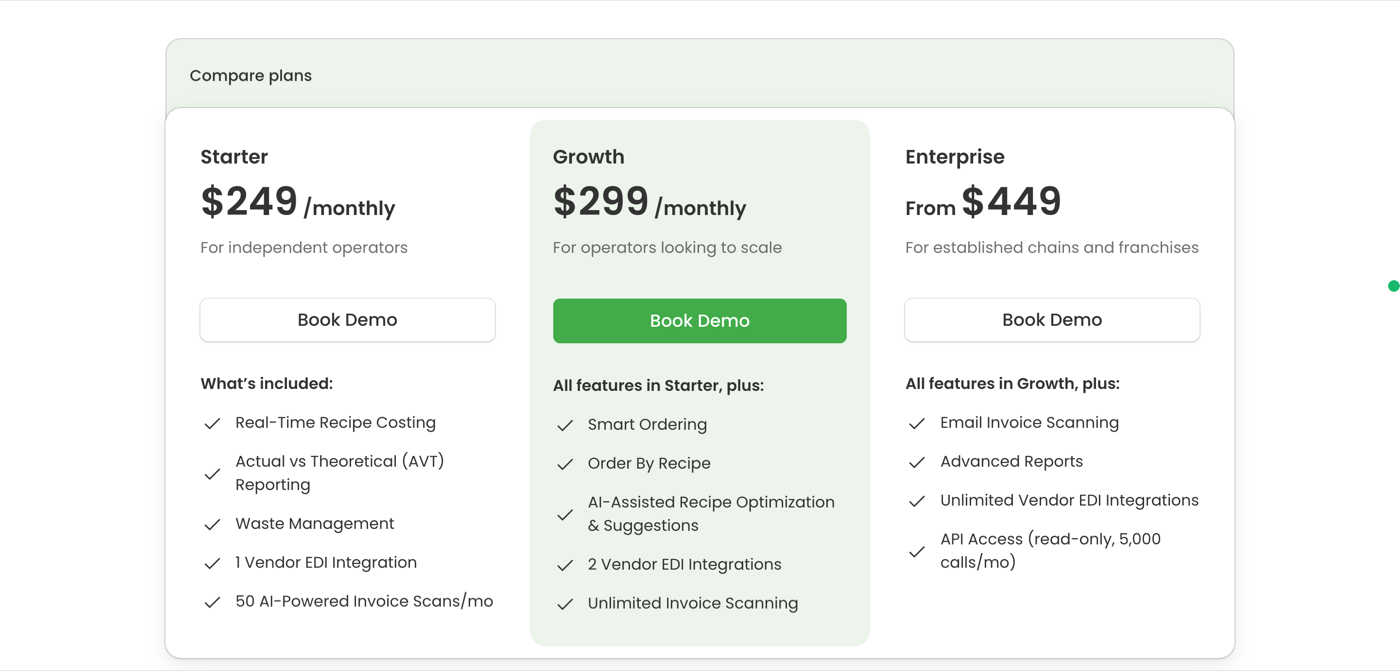
Buy this one for supplier reach. What changes between the plans is how many distributors you get wired in, so picking a tier is really picking a vendor count.
- Starter includes 1 vendor EDI integration and 50 invoice scans a month; Growth moves to 2 integrations with unlimited scans. Those integrations run in the US, Canada, and the UK. (MarketMan)
- Enterprise adds unlimited vendor EDI, email scanning, and 5,000 monthly read-only API calls. On lower plans the API is a $25 to $99 monthly add-on based on location count. (MarketMan)
- Price alerts, credit memo management, and PO approval ship on every plan. Commissary is a separate $499 monthly module. (MarketMan)
Price: Starter $249, Growth $299, and Enterprise from $449 a month, per MarketMan's pricing page. The page does not say whether the rate is per account or per location, so confirm that before comparing it with a per-location tool.
What to weigh The scan cap on Starter is what runs out first, not the EDI count. A group with more invoices than that lands on Growth from day one, so price the tier you will actually sit on, not the one on the front of the page.
4)Craftable - the contract-price and overcharge-control pick
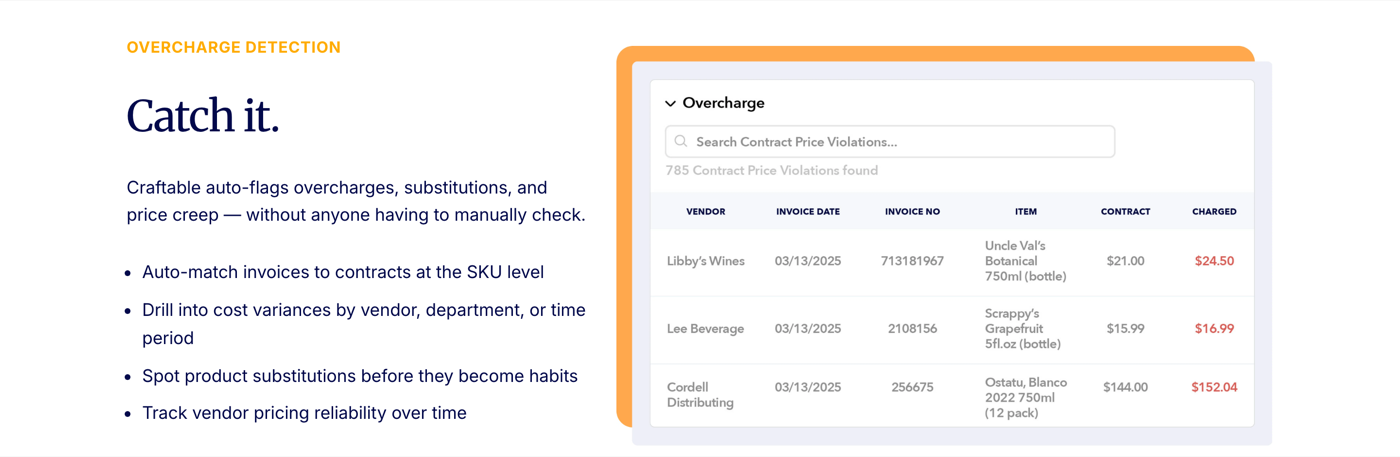
This is the tool built for the gap most groups actually have: the agreement says one price and the invoice says another.
- Invoice lines match contracts, purchase orders, and delivery receipts at the SKU level. (Craftable)
- Overcharges, substitutions, and price creep get flagged before payment. (Craftable)
- Approval limits work by location, department, and amount, with one cart across vendors. (Craftable)
Price: Custom quote, arranged through a demo.
What to weigh Contract enforcement only works on contracts that are loaded and current. A group with handshake pricing or agreements sitting in a GM's inbox gets less out of it until someone does the paperwork.
5)Crunchtime - the enterprise supply-chain pick for large brands
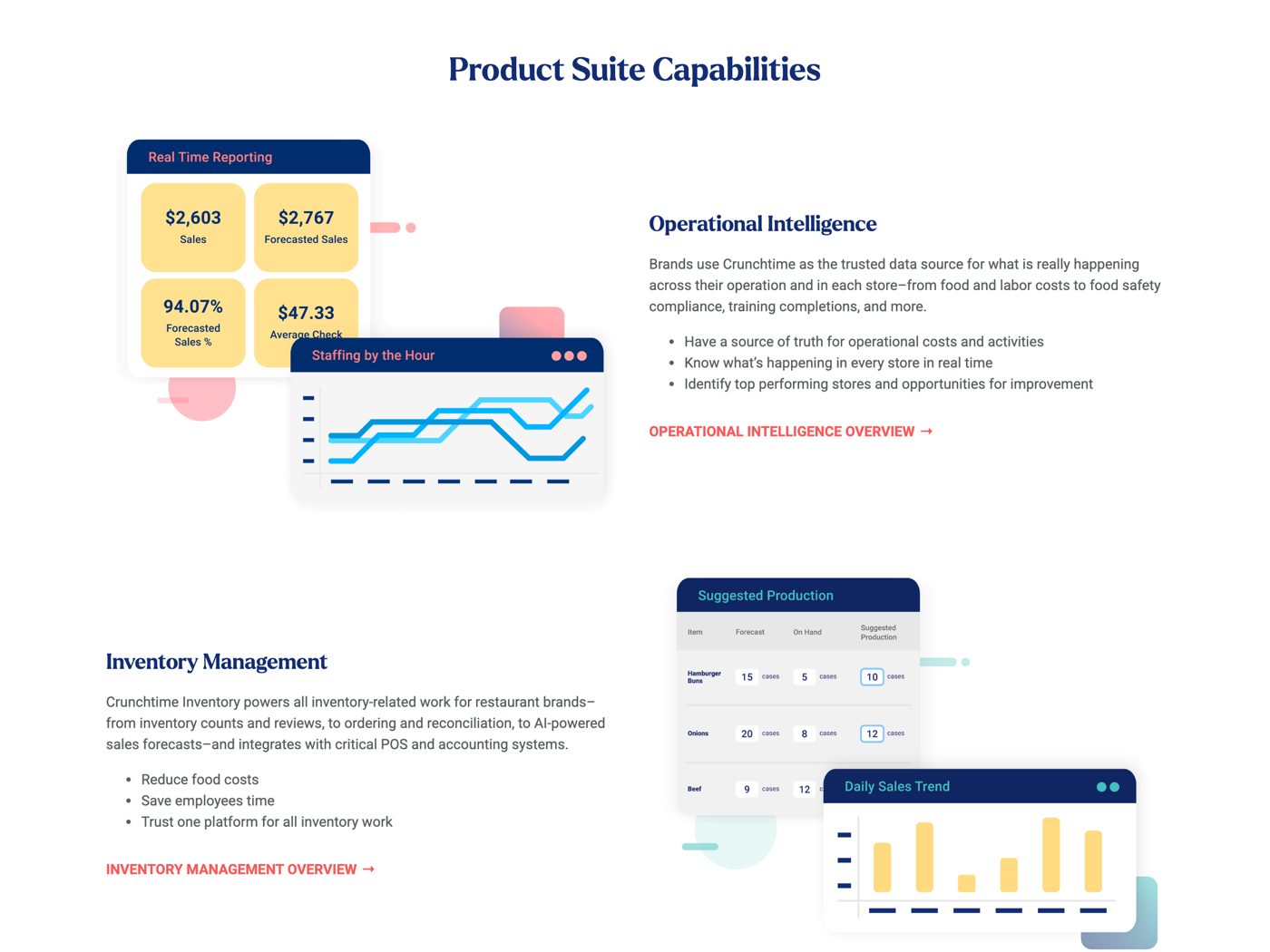
Built for brands with hundreds of stores, not a group of six. Crunchtime sells to multi-unit restaurant brands, names Five Guys, Jersey Mike's, Sweetgreen, and Shake Shack among its customers, and says its operations tools are used by 850+ restaurant brands. (Crunchtime)
- Vendor integrations sync order guides, confirmations, invoices, purchase orders, and bid sheets. (Crunchtime)
- POS, accounting, payroll, and inventory connections support supply chains across many franchisees. (Crunchtime)
- The wider suite adds labor, operations, kitchen management, temperature monitoring, and prep labeling. (Crunchtime)
Price: Custom quote. No rate card is published.
What to weigh Buying the suite to solve vendor management alone means paying for labor and operations modules a smaller group will not staff. It pays off once you have a corporate team whose whole job is supply chain.
Vendor standardization across new units is its own project, and the restaurant expansion strategy guide covers how to sequence it.
6)Toast Inventory (xtraCHEF) - the in-suite supplier workflow for Toast restaurants
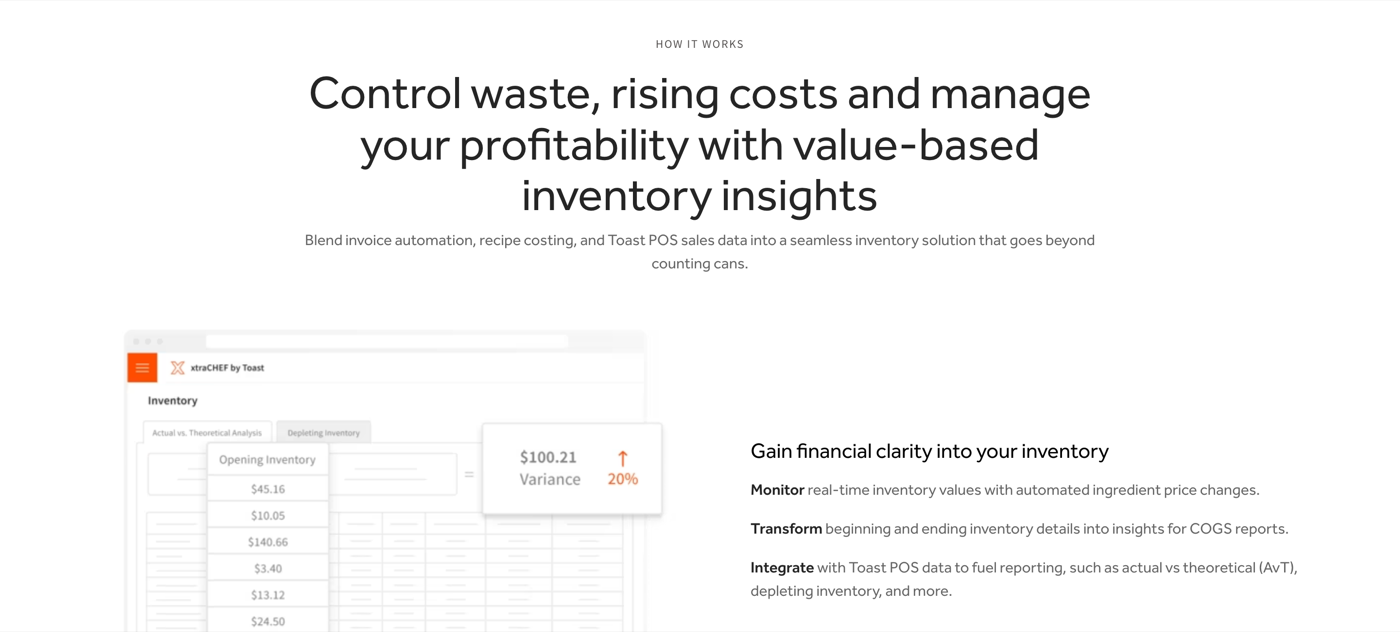
The lightest lift on this list if you already run Toast POS, because the sales data is already there.
- Order guides build from restaurant needs and orders go to vendor reps inside Toast. (Toast)
- Invoice lines are digitized and coded, building a product catalog and price history. (Toast)
- Food cost runs against Toast POS sales data without a daily export. (Toast)
Price: A paid add-on to a Toast POS subscription, quoted per restaurant.
What to weigh The whole advantage is the POS connection. On a different POS you are paying for a food-cost tool and re-importing sales by hand, which changes the math.
7)Apicbase - the three-way match and multi-site procurement pick
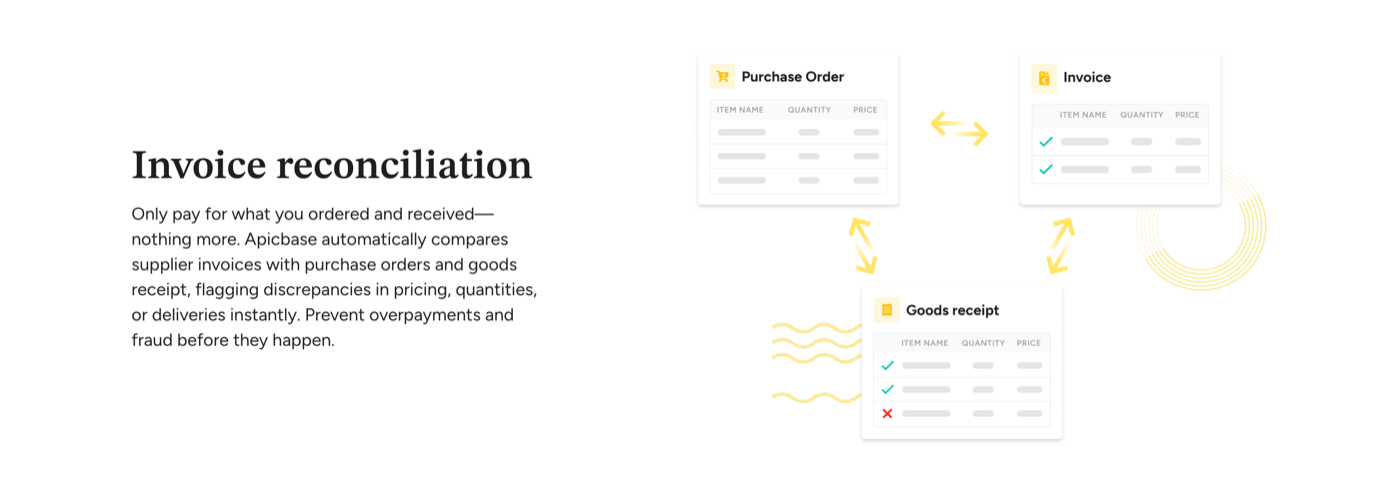
The strictest invoice check here. Apicbase automatically compares supplier invoices with purchase orders and goods receipts, flagging discrepancies in pricing, quantities, or deliveries. (Apicbase)
- Sales forecasts build supplier purchase orders from the menu. (Apicbase)
- Integrated suppliers push daily pricing, while user permissions assign ownership. (Apicbase)
- Satellite kitchens order through the central unit, which generates outside supplier POs. (Apicbase)
Price: Custom quote, arranged through the sales team.
What to weigh A three-way match needs all three legs. If deliveries are not registered at the back door, the match falls back to invoice against PO and the short delivery still gets paid.
8)ChefMod - the procurement and GPO option for price leverage
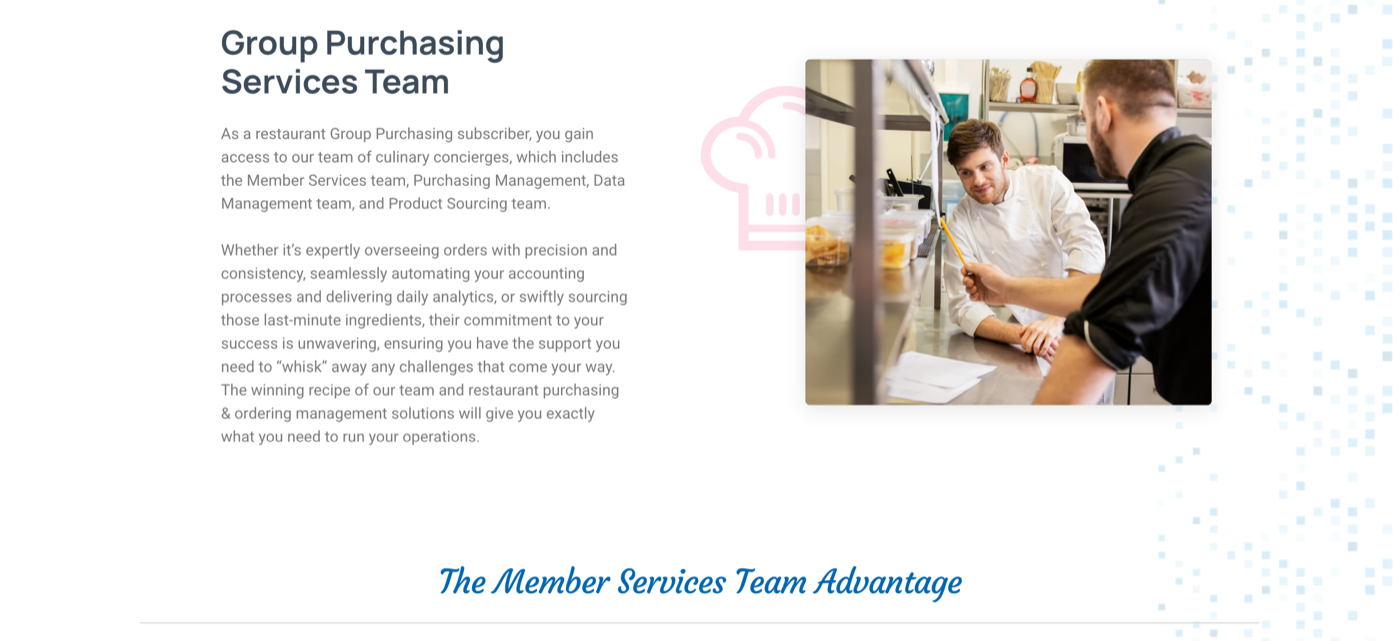
The only option here that sells people first. ChefMod describes itself as driven and supported by people, then technology, and runs Member Services, Item Management, Order Management, and Price Management teams behind the software. (ChefMod)
- Group purchasing pools member volume to negotiate lower costs and more flexible ordering. (ChefMod)
- A supplier liaison handles communication and problems instead of the GM. (ChefMod)
- Automated reconciliation checks products, quantities, and prices, then flags changes. (ChefMod)
Price: Custom, arranged through a demo.
What to weigh GPO pricing depends on buying through their agreements. A group that already negotiated hard with its primary distributor should compare the two line by line on the twenty items it buys most, not on the catalog.
9)Yellow Dog - the hotel, club, and multi-outlet option
Deep purchasing for operations that are not only restaurants. Yellow Dog says it is trusted by over 7,500 inventory outlets, and it sells into lodging, clubs, gaming, higher education, hospitals, and sports and entertainment alongside restaurants. (Yellow Dog)
- EDI brings invoices in and sends purchase orders out, with order guides and scanning together. (Yellow Dog)
- Yellow Dog Retriever converts emailed, uploaded, or photographed invoices in 4 to 6 hours. (Yellow Dog)
- Invoice prices update recipe costs, while 400+ reports can run on a schedule. (Yellow Dog)
Price: Custom quote, arranged through a demo.
What to weigh The outlet breadth is the product. A three-unit group with one kitchen and one bar pays for reach across markets it does not operate in.
Which vendor system should you choose?
Choose by the broken handoff. Check one major vendor's order guides, invoices, and credit memos from the last 90 days: mismatched prices point to contracts, missing credits point to receiving, and no guide points to ordering.
Need purchasing, AP, and the ledger together?
Restaurant365.
Want published pricing and bill pay?
MarginEdge.
Ordering across many suppliers?
MarketMan; Apicbase for central kitchens; Yellow Dog for hotels, clubs, and venues.
Contract prices keep drifting?
Craftable.
Already on Toast, at enterprise scale, or want a buying group?
Toast Inventory, Crunchtime, or ChefMod respectively.
Keep vendor spend as its own operating-budget line. The restaurant budgeting guide shows the structure, and menu engineering turns those prices into plate-level decisions.
Build a vendor scorecard teams use
A useful scorecard pulls numbers from documents you already have. Review it quarterly with the vendor in the room.
ScorecardSeven vendor scorecard measures and where the number comes from
| Measure | The question it answers | Where the number comes from | How to set your first target |
|---|---|---|---|
| Fill rate | Did the full order arrive? | Lines received divided by lines ordered on the PO | Measure 90 days, then set the bar one point above your current average |
| Substitutions | How often did we get something we did not order? | Substituted lines divided by total lines | Start at your current rate, then cut it by a quarter next quarter |
| Price variance | Did the price match the agreement? | Invoice price against the contract price sheet, by SKU | Every variance gets an explanation or a credit, so the target is a closed list, not a percentage |
| Credit turnaround | How fast do shorts and damages come back as money? | Days from credit request to credit memo | Time your last ten credits and set the target inside the vendor's own return window |
| Delivery accuracy | Did it show up on the right day, at the right temperature? | On-time and in-spec deliveries divided by total deliveries | Measure 90 days, then hold the vendor at that number before you push it up |
| Invoice errors | How much rework does this vendor create? | Invoices needing correction divided by total invoices | Count a month of corrections, then agree a number that comes down each quarter |
| Response time | How long until a problem gets an answer? | Hours from issue logged to rep response | Ask the rep what they can commit to, write it down, then measure against their own answer |
Pull every measure from the PO, invoice, or credit memo. Add off-invoice purchases caused by short deliveries, then review three numbers every quarter: fill rate, price variance, and open credits.
Vendor bills are where the scorecard turns into cash, and the restaurant billing software roundup covers the systems that handle the bill itself once the numbers are agreed.
FAQs
It covers supplier approval, contracts, order guides, purchase orders, receiving, invoice matching, payment, credits, rebates, and performance reviews.
No. Procurement covers buying and receiving. Vendor management also covers contracts, credits, rebates, and performance. The restaurant procurement software guide compares the buying tools.
Compare each SKU with the signed agreement. Craftable, Apicbase, and newer restaurant AI tools can automate that match.
Track fill rate, substitutions, price variance, credit turnaround, delivery accuracy, invoice errors, and response time using POs, invoices, and credit memos.
Food tools center on order guides, recipes, and cases. Repair and service vendors often get paid by card, so that spend needs a separate review.


